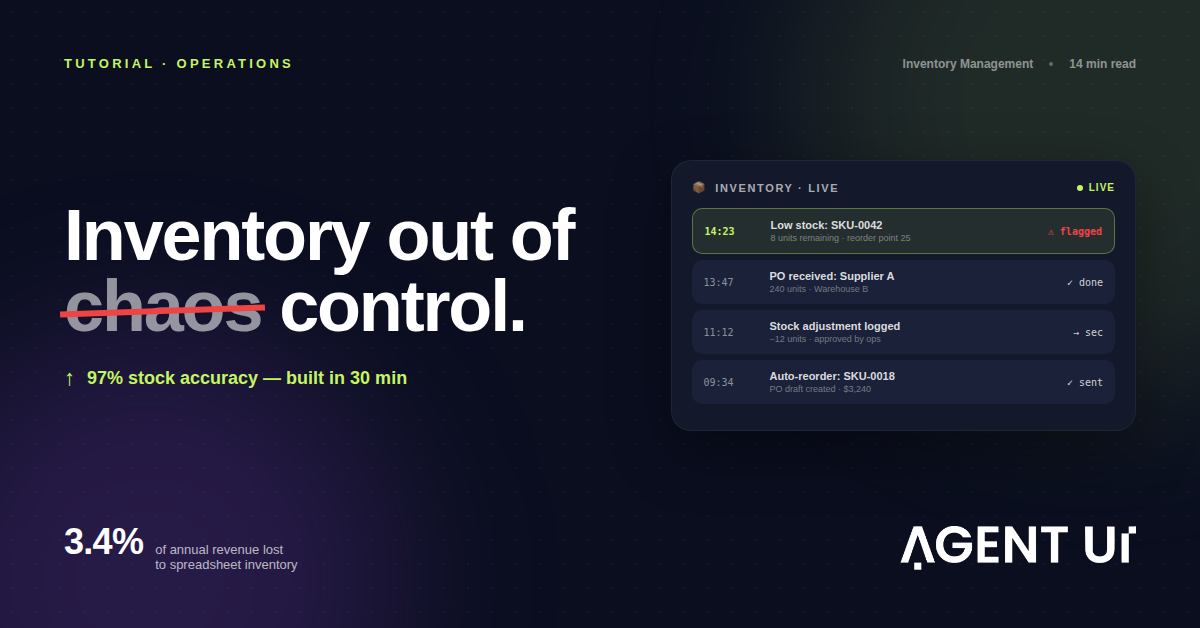
Le problème de stock que personne ne règle vraiment
Toutes les équipes opérationnelles ont la même histoire de gestion de stock, et elle se déroule toujours pareil.
Ça commence par un tableur. Un onglet pour les produits, un pour les niveaux de stock, un pour les fournisseurs. Quelqu'un le met à jour scrupuleusement pendant un mois. Puis une deuxième personne se met à l'éditer depuis son portable un mardi après-midi, en même temps que le responsable d'entrepôt, et le conflit de versions corrompt trois semaines de données. Vous restaurez une sauvegarde qui date de quatre jours. Deux bons de commande partent pour de la marchandise que vous avez déjà. Une commande client n'est pas honorée parce que le système annonçait 40 unités alors que le comptage réel en donnait 11.
Vous achetez un logiciel de gestion de stock. Après six semaines de paramétrage et $30,000 de frais de mise en œuvre, vous disposez d'un système qui gère très bien 80 % de votre processus et qui se bat activement contre les 20 % restants — la partie qui correspond justement à la façon dont votre entreprise fonctionne réellement. Le logiciel a été conçu pour l'entreprise moyenne, pas pour la vôtre. Votre processus de retours sort de la norme. Vos délais fournisseurs sont suivis d'une manière que le système ne prend pas en charge. Votre équipe d'entrepôt utilise des codes d'emplacement que le logiciel ne peut pas ingérer sans une intégration sur mesure facturée $10,000 de plus.
En 2026, vous n'avez plus à choisir entre un tableur, un ERP hors de prix et un système qui convient à peu près. Vous pouvez décrire comment vos stocks circulent réellement — du bon de commande au rayon, du rayon à la vente, de la vente au réapprovisionnement — et obtenir un système sur mesure fonctionnel en une trentaine de minutes.
Pourquoi un logiciel de gestion de stock standard coûte bien plus que sa licence
Le logiciel n'est pas le problème. SAP Business One, Oracle NetSuite, Fishbowl et Cin7 sont de vraies plateformes, réellement capables. Le problème, c'est qu'elles ont été bâties pour une entreprise moyenne, et que la vôtre n'a rien de moyen.
La taxe de mise en œuvre est bien réelle
La plupart des éditeurs affichent un tarif par utilisateur qui paraît raisonnable. Le vrai coût apparaît au moment du déploiement.
Oracle NetSuite pour une équipe opérationnelle de 10 à 25 personnes :
- Licence de base : $99–$299/utilisateur/mois → $11,880–$89,700 par an pour 25 utilisateurs
- Mise en œuvre : $15,000–$50,000 pour une configuration standard
- Règle du secteur du conseil : prévoyez 50 à 80 % au-dessus du coût de licence pour le coût total de la première année
- Administrateur NetSuite à demeure : $65,000–$95,000/an si vous recrutez en interne
- Coût réel en année 1 pour une équipe de 15 personnes : $25,000–$80,000+
Fishbowl pour un petit industriel ou distributeur :
- Licence unique : $4,395–$10,995 selon les modules
- Maintenance annuelle : $1,100–$2,700
- Mise en place de l'intégration QuickBooks ou ERP : $2,000–$8,000
- Formation : $150–$200/heure, 20 heures minimum
- Coût réel en année 1 : $8,000–$22,000 — et cela suppose zéro personnalisation
SAP Business One :
- Licence : $1,357–$1,666/utilisateur en une fois (version cloud : $85–$105/utilisateur/mois)
- Mise en œuvre : $25,000–$150,000 selon la complexité
- La marge du partenaire ajoute 20 à 40 % au total
- Coût réaliste en année 1 pour une équipe de 15 personnes : $50,000–$200,000+
Et qu'utilisez-vous réellement dans l'une ou l'autre de ces plateformes ? La fiche article, le suivi des stocks, le module de bons de commande et le tableau de bord de reporting de base. Soit à peu près 15 à 20 % de ce que vous payez.
Le plafond de personnalisation arrive vers le troisième mois
Les plateformes de gestion de stock standard sont paramétrables, jusqu'à un certain point. Vous pouvez ajouter des champs, renommer des statuts et construire des automatisations simples. Mais le modèle de données sous-jacent est figé par les hypothèses de l'éditeur sur le fonctionnement des entreprises qui gèrent des stocks.
Dès que votre processus s'écarte de ces hypothèses — une unité de mesure atypique, un circuit de retours qui ne rentre pas dans le flux standard, un suivi multi-sites que le système n'avait pas prévu — vous heurtez un mur. Ce mur a une solution : un consultant facturé entre $150 et $300 de l'heure, avec une mission minimale qui démarre à $5,000.
Le système de gestion de stock censé rendre du temps à votre équipe opérationnelle génère désormais sa propre charge de gestion de projet.
Ce dont votre système de gestion de stock a réellement besoin
Avant de construire quoi que ce soit, il est utile d'écarter le bruit et d'identifier ce que fait vraiment un logiciel de gestion de stock, à la base.
Un système fonctionnel répond à cinq questions :
- Qu'est-ce qu'on a ? — Un comptage en temps réel de chaque SKU sur chaque site
- Où est-ce ? — L'emplacement physique (rayon, bac, entrepôt, transit)
- Qu'est-ce qui baisse ? — Des alertes automatiques quand le stock passe sous le seuil de réapprovisionnement
- Qu'est-ce qui arrive ? — Bons de commande ouverts, dates de livraison attendues, suivi fournisseurs
- Qu'est-ce qui est sorti ? — Commandes de vente, transferts, mises au rebut, ajustements, avec un journal d'audit complet
Tout le reste — prévision de la demande, suivi par lot, facturation fournisseurs multi-devises — n'est qu'une couche posée sur ces cinq questions. Construisez le cœur d'abord. Ajoutez les couches quand l'équipe en a réellement besoin.
Construire votre système de gestion de stock sur mesure avec AgentUI
Voici comment les équipes opérationnelles construisent des systèmes de gestion de stock complets — pas des maquettes, pas des modèles, mais des outils de qualité production avec une vraie base de données, des accès par rôle et des intégrations.
Étape 1 : décrivez votre activité en langage courant
Le point de départ est une conversation, pas un fichier de configuration. Connectez-vous à AgentUI et décrivez votre exploitation :
« Nous sommes un grossiste distributeur avec trois entrepôts. Nous gérons environ 800 SKU répartis sur trois familles de produits. Nous recevons de la marchandise de 12 fournisseurs réguliers et nous livrons à peu près 200 clients par mois. Nous devons suivre les niveaux de stock par site, gérer les bons de commande, définir un seuil de réapprovisionnement pour chaque SKU et consigner tous les ajustements de stock avec l'auteur et le motif. »
L'IA s'appuie sur cette description pour comprendre votre modèle de données : les objets qui existent dans votre activité (produits, sites, fournisseurs, bons de commande, clients), les relations entre eux et les processus que votre équipe exécute au quotidien.
Étape 2 : l'IA construit le système — base de données, écrans et logique
AgentUI génère un système entièrement fonctionnel à partir de votre description. Pas une maquette filaire. Pas un modèle à personnaliser — une véritable application, avec un vrai schéma de base de données derrière.
Pour une activité de gestion de stock classique, le système généré comprend :
Module catalogue produits
- SKU, nom, description, famille, unité de mesure
- Prix de revient, prix de vente
- Seuil et quantité de réapprovisionnement par SKU
- Affectation fournisseur (principal et de secours)
- Champ code-barres/QR code pour l'intégration de la lecture optique
Module niveaux de stock
- Quantité actuelle par site
- Distinction entre stock disponible et stock réservé
- Journal complet des ajustements (qui a changé quoi, quand et pourquoi)
- Déclenchement du marqueur stock bas à partir du seuil de réapprovisionnement
Module bons de commande
- Création de bons de commande depuis les alertes de stock bas ou manuellement
- Suivi du statut : brouillon → envoyé → confirmé → réceptionné → clôturé
- Gestion des réceptions partielles
- Suivi des délais fournisseurs
- Vue calendrier des livraisons attendues
Module réception
- Rapprochement des livraisons avec les bons de commande ouverts
- Signalement des écarts (quantité reçue vs quantité commandée)
- Mise à jour automatique des stocks à la confirmation
- Statut de blocage qualité pour les articles à contrôler
Tableau de bord de reporting
- Valeur du stock par famille
- Taux de rotation par SKU
- Top 20 des articles qui tournent le plus vite
- File de réapprovisionnement (articles sous leur seuil)
- Performance fournisseurs (taux de livraison à l'heure, taux d'écart)
L'IA construit tout cela. À l'étape 2, votre rôle consiste à relire le système généré et à lui dire quoi ajuster — pas à faire le paramétrage vous-même.
Étape 3 : ajoutez des accès par rôle
Tout le monde dans votre équipe n'a pas besoin des mêmes accès. Le système de permissions d'AgentUI vous permet de définir précisément qui peut faire quoi — sans écrire une ligne de code.
Structures de permissions courantes pour les équipes de gestion de stock :
| Rôle | Niveau d'accès |
|---|---|
| Équipe d'entrepôt | Voir le stock, consigner les ajustements, réceptionner les bons de commande |
| Responsable achats | Module bons de commande complet, gestion des fournisseurs |
| Finance | Accès en lecture seule aux coûts, à l'historique des bons de commande et aux rapports |
| Directeur des opérations | Accès complet, y compris la validation des mises au rebut |
| Auditeur externe | Lecture seule, champs de coûts masqués |
Le masquage au niveau du champ fonctionne pour les données de coût : l'équipe d'entrepôt voit les quantités mais pas les prix d'achat. La finance voit tout. Chaque accès est journalisé — qui a consulté quoi, quand, depuis quelle adresse IP.
Étape 4 : mettez en place les intégrations
Votre système de gestion de stock ne vit pas en vase clos. L'architecture d'intégrations partagées d'AgentUI vous permet de connecter vos sources de données une fois pour toutes et de les retrouver dans toutes vos applications.
Intégrations courantes pour un système de gestion de stock :
Notifications e-mail — Alertes automatiques quand le stock passe sous le seuil de réapprovisionnement, quand un bon de commande est en retard, quand les écarts dépassent un seuil.
WhatsApp — Pour les équipes qui pilotent leurs opérations sur WhatsApp, AgentUI peut envoyer les alertes de stock bas et les confirmations de bons de commande directement dans le groupe WhatsApp de l'équipe.
Connexion SQL directe — Si vous avez déjà un ERP ou un logiciel comptable, AgentUI peut y lire et y écrire directement. Votre système de gestion de stock reste donc synchronisé avec votre comptabilité, sans saisie manuelle ni exports CSV.
Déclencheurs webhook — À la réception de marchandise, déclenchez un webhook vers votre système de préparation de commandes. À la validation d'un bon de commande, envoyez la confirmation vers le portail de votre fournisseur.
Domaines personnalisés — Votre système tourne sur stock.votreentreprise.com, pas sur une URL générique AgentUI.
Étape 5 : passez en production avec une vraie gouvernance
C'est là qu'AgentUI se sépare d'un tableur ou d'un outil no-code qui vous livre un prototype.
Avant la mise en ligne, votre système traverse plusieurs environnements :
- Développement — L'IA construit et vous testez ici. Aucun risque pour les données réelles.
- Recette — Chargez de vraies données produits, faites tourner de vrais processus avec votre équipe, vérifiez tout avant le lancement.
- Production — Environnement verrouillé, avec une garantie de disponibilité de 99,9 %. Toute modification en production exige une promotion explicite depuis la recette — personne n'écrase un système en service par accident.
Chaque promotion est journalisée. Chaque changement de code est analysé par le scanner de sécurité à 22 règles d'AgentUI (propulsé par Semgrep) avant de pouvoir atteindre la production. Les alertes critiques bloquent le déploiement. Votre équipe informatique dispose d'un score de sécurité — de 0 à 100, avec une note en lettres — pour l'ensemble du système.
Voilà à quoi ressemble la gestion de stock en entreprise quand la gouvernance est intégrée par défaut.
Exemple concret : une société de logistique en Amérique latine
L'un des clients d'AgentUI exploite une activité régionale de logistique et de distribution dans quatre pays — environ 60 personnes, 1 200 SKU actifs et 15 fournisseurs.
Avant AgentUI, leurs stocks vivaient dans trois systèmes : un ERP hérité vieux de 12 ans, un fichier Excel que l'équipe d'entrepôt utilisait tous les jours parce que l'ERP était trop lent, et un groupe WhatsApp où le responsable achats publiait ses demandes de réapprovisionnement.
Le résultat était prévisible. L'Excel et l'ERP n'étaient jamais synchronisés. Personne ne faisait confiance aux données de l'ERP. Le responsable achats passait quatre heures chaque lundi à réconcilier les deux systèmes pour produire un état de stock hebdomadaire déjà périmé le mardi.
Ils ont décrit leur activité à AgentUI. Trois jours plus tard — dont une journée de revue avec l'équipe d'ingénieurs AgentUI — ils avaient un système en production. L'équipe d'entrepôt consigne les réceptions et les ajustements dans AgentUI. Le responsable achats gère ses bons de commande dans AgentUI. La finance sort ses rapports directement. Le groupe WhatsApp existe toujours, mais il sert aux vraies conversations, plus à la saisie de données.
La séance de réconciliation du lundi a disparu. La fiabilité des stocks est passée d'environ 82 % (auto-déclarés) à plus de 97 % vérifiés dès le premier mois. Le responsable achats a récupéré à peu près quatre heures par semaine.
La comparaison de coûts qui tient debout
Quand on compare des solutions de gestion de stock, le chiffre qui compte n'est pas le prix de la licence — c'est le coût total de possession en année 1, rapporté à ce que vous obtenez réellement.
| Solution | Coût année 1 | Délai avant valeur | Adaptation sur mesure | Support |
|---|---|---|---|---|
| Excel/Google Sheets | $0 | Quelques jours | Élevée au début, casse à l'échelle | Aucun |
| Fishbowl | $8,000–$22,000 | 4–8 semaines | Moyenne | Téléphone/e-mail |
| Oracle NetSuite | $25,000–$80,000 | 3–6 mois | Moyenne, avec des consultants | Par tickets |
| SAP Business One | $50,000–$200,000+ | 6–18 mois | Élevée, avec des consultants | Via un partenaire |
| AgentUI Team | $3,000/an | 30 min – 1 semaine | Élevée par conception | Slack partagé + ingénieur |
Les $3,000/an d'AgentUI couvrent 25 utilisateurs internes, des environnements illimités, les journaux d'audit, l'analyse de code, le SSO et un canal Slack partagé avec l'équipe support. L'ingénieur est disponible non seulement pour la mise en place, mais aussi pour les ajustements au fil de l'évolution de votre activité.
Les difficultés de gestion de stock qu'AgentUI règle d'emblée
Suivi multi-sites
Si vous opérez sur plusieurs entrepôts, points de vente ou pays, votre système doit suivre le stock au niveau du site — pas seulement la quantité totale à l'échelle de l'entreprise.
AgentUI génère une hiérarchie de sites qui correspond à votre organisation réelle. Les mouvements de stock sont journalisés au niveau du site. Les rapports filtrent par site ou agrègent l'ensemble. Les ordres de transfert entre sites suivent un circuit de validation, si vous en voulez un.
Gestion des délais fournisseurs
La plupart des systèmes suivent les bons de commande. Beaucoup moins suivent la performance des fournisseurs d'une façon qui éclaire réellement les décisions d'achat à venir.
Dans AgentUI, chaque bon de commande soldé est comparé à la date de livraison attendue. Le taux de livraison à l'heure de chaque fournisseur est calculé automatiquement. Quand un fournisseur livre systématiquement en retard, le système le signale — et vous pouvez ajuster en conséquence les seuils de réapprovisionnement de ses SKU.
Des alertes de stock bas qui servent vraiment
Le problème de la plupart des alertes de stock, c'est qu'elles sont réactives : vous voyez l'alerte quand le stock est déjà à zéro. Bien gérer le réapprovisionnement, c'est agir quand le stock atteint son seuil — pas quand il est épuisé.
Les alertes de stock bas d'AgentUI se déclenchent dès que la quantité passe sous le seuil de réapprovisionnement configuré pour chaque SKU. L'alerte part vers la bonne personne (les achats, pas l'équipe d'entrepôt). Elle contient la quantité actuelle, le seuil, le fournisseur préféré et une action en un clic pour créer un bon de commande en brouillon.
Des journaux d'ajustements qui satisfont les auditeurs
Chaque fois que le stock bouge — une vente, une réception, un ajustement d'inventaire physique, une mise au rebut — AgentUI journalise le changement avec l'utilisateur qui l'a fait, l'horodatage, les quantités avant et après, et les commentaires saisis.
Pour les secteurs réglementés et les entreprises qui préparent un audit, ce n'est pas un confort. C'est la différence entre un audit propre et une réserve d'auditeur. Le journal est exportable à tout moment, sur n'importe quelle période, avec un filtre par utilisateur, SKU, site ou type d'ajustement.
Intégration des codes-barres et QR codes
Le module de gestion de stock d'AgentUI prend en charge un champ code-barres et QR code pour chaque produit. Les équipes d'entrepôt équipées de douchettes peuvent consigner réceptions et ajustements en scannant — sans rien saisir. Si vous avez une codification maison ou devez vous intégrer à du matériel de lecture spécifique, l'équipe d'ingénieurs AgentUI s'en charge dans l'offre Enterprise.
Ce qu'AgentUI vous apporte et qu'un tableur ne pourra jamais apporter
Il vaut la peine d'être direct sur ce qui rend un système de gestion de stock AgentUI catégoriquement différent d'un tableur bien rangé, voire d'un fichier Excel complexe bourré de macros.
Une vraie base de données relationnelle. Vos données sont stockées dans une base digne de ce nom, pas dans un fichier plat. Les fiches produits sont reliées aux bons de commande. Les bons de commande sont reliés aux fiches fournisseurs. Les mouvements de stock sont reliés au produit et à l'utilisateur à l'origine du changement. Cette structure rend possibles des requêtes, des rapports et des intégrations fondamentalement hors de portée d'un tableur.
Un accès multi-utilisateurs en temps réel. Plusieurs personnes peuvent utiliser le système en même temps, sans conflit de versions. Le responsable d'entrepôt qui réceptionne, le responsable achats qui valide un bon de commande et le directeur des opérations qui consulte les rapports travaillent tous sur les mêmes données vivantes.
Un hébergement de production avec engagement de disponibilité. AgentUI héberge votre application avec une garantie de disponibilité de 99,9 %. Vous ne dépendez plus de quelqu'un qui laisse un Google Sheet ouvert ou un serveur local allumé. Le système est disponible chaque fois que votre équipe en a besoin.
Des contrôles de sécurité que votre RSSI peut examiner. Conformité SOC 2 Type II. Prêt pour le RGPD. Prise en charge HIPAA disponible. Isolation du calcul et du stockage par client. Masquage au niveau du champ pour les données de coût sensibles. Un score de sécurité que votre équipe informatique peut lire sans consultant pour le décrypter.
Une équipe derrière tout ça. C'est la partie qui diffère réellement de toutes les autres plateformes du marché. Quand vous bloquez — quand un nouveau fournisseur a une structure de délais atypique, quand il faut ajouter un circuit de blocage qualité pour des produits périssables, quand une intégration casse — il y a un vrai ingénieur dans votre canal Slack. Pas un Discord rempli d'inconnus. Pas une file de tickets avec un délai de réponse de 48 heures. Un ingénieur.
Pour commencer
La première version de votre système de gestion de stock commence par une description. Pas un cahier des charges. Pas une spécification technique. Juste : qu'est-ce que vous vendez, comment ça circule dans votre exploitation, et que doit voir votre équipe chaque jour.
Vous pouvez commencer gratuitement — sans carte bancaire. L'IA génère votre première version fonctionnelle en une trentaine de minutes. Si vous voulez qu'un ingénieur la relise avant la mise en ligne, c'est inclus dans toutes les offres payantes.
L'offre Team à $250/mois comprend tout ce qu'il faut pour piloter une vraie activité de gestion de stock : 25 utilisateurs internes, des environnements illimités, les journaux d'audit, l'analyse de code, le SSO et un canal Slack dédié avec l'équipe.
Le retour le plus fréquent des nouveaux utilisateurs, c'est qu'ils regrettent de ne pas s'y être mis plus tôt — pas parce que le système a été long à construire, mais parce qu'ils ont passé des mois à subir le chaos des tableurs alors que rien ne les y obligeait.
Créez votre logiciel de gestion de stock gratuitement — sans carte bancaire.
Nessim Btesh est le fondateur d'AgentUI. Il a passé dix ans au sein d'équipes opérations, finance et logistique avant de construire la plateforme qu'il aurait aimé avoir. Il répond personnellement aux e-mails du support.