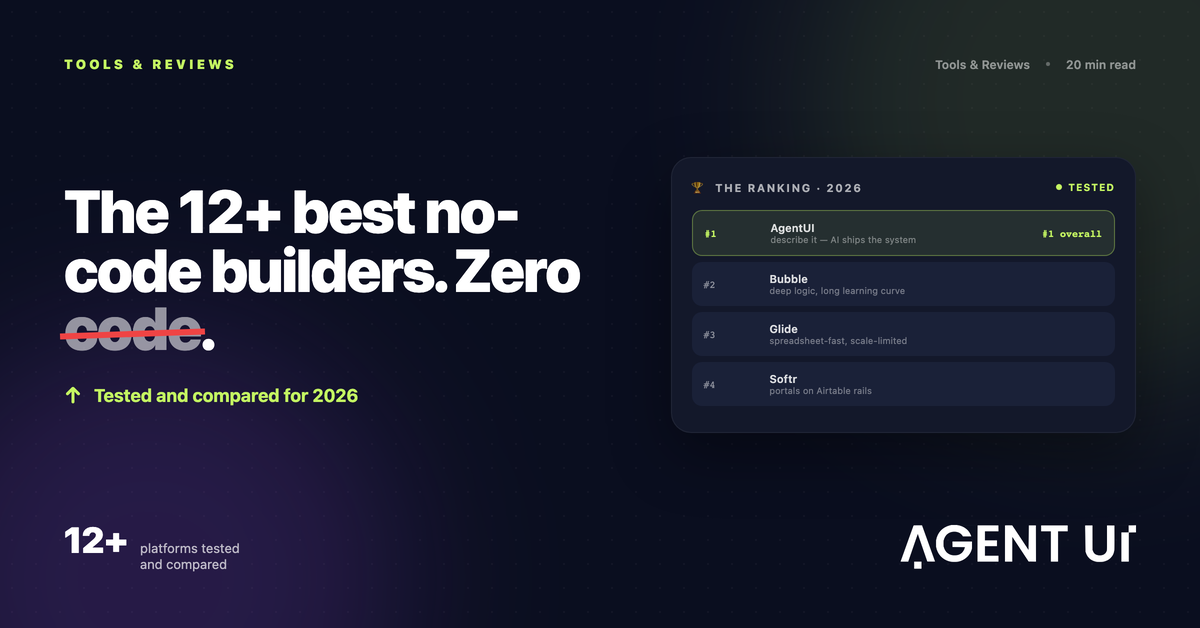
Θυμάσαι όταν για να φτιάξεις μια εφαρμογή έπρεπε οπωσδήποτε να ξέρεις προγραμματισμό; Αυτός ο κόσμος πέρασε. Τα εργαλεία no-code ήρθαν για να μείνουν και σήμερα φτάνουν για σχεδόν οτιδήποτε φανταστείς, χωρίς να γράψεις ούτε μία function().
Δουλεύω με εφαρμογές no-code εδώ και καιρό και, ως φανατικός του χώρου, έχω αδυναμία σε αυτές. Για αυτό το άρθρο ερεύνησα και αξιολόγησα πάνω από 100 διαφορετικές πλατφόρμες — είδα την κάθε μία και μετά δοκίμασα εκτενώς στην πράξη τις καλύτερες.
Αυτές είναι οι δώδεκα επιλογές μου για τα καλύτερα εργαλεία no-code (συν κάποιες τιμητικές αναφορές). Είτε φτιάχνεις προσωπικό project, είτε λανσάρεις ένα προϊόν SaaS, είτε στήνεις λογισμικό για την ίδια σου την ομάδα, ένα από αυτά θα σε πάει γρήγορα εκεί.
- •AgentUI για εφαρμογές και αυτοματισμούς στο ίδιο μέρος
- •Zapier για ενορχήστρωση με ΤΝ
- •Softr για εντελώς αρχάριους
- •Bubble για ισορροπία ανάμεσα σε δυνατότητες και ευκολία
- •Glide για web εφαρμογές που δουλεύουν σωστά στο κινητό
- •Momen για να βάλεις λειτουργίες ΤΝ μέσα στην εφαρμογή σου
- •Bildr για ευελιξία
- •Backendless για προχωρημένο έλεγχο σε δεδομένα και υποδομή
- •WeWeb και Xano για αρθρωτές εφαρμογές που κλιμακώνονται
- •FlutterFlow, Firebase και Buildship για πολλές πλατφόρμες μαζί
- •Retool για λογισμικό εσωτερικής χρήσης
- •Adalo για γρήγορο πρωτότυπο εφαρμογής κινητού
Ανάπτυξη no-code ή vibe coding;
Πριν μπούμε στα εργαλεία no-code, αξίζει να τα συγκρίνουμε με έναν πιο πρόσφατο δρόμο ανάπτυξης. Οι πλατφόρμες vibe coding χρησιμοποιούν ΤΝ για να παράγουν ολόκληρες εφαρμογές από μια εντολή σε φυσική γλώσσα, φτιάχνοντας όλα τα αρχεία, τον κώδικα και τις ρυθμίσεις που χρειάζεται η εφαρμογή για να τρέξει.
Η ταχύτητα εντυπωσιάζει: ένα πολύ βασικό πρωτότυπο μπορεί να είναι έτοιμο σε λίγες ώρες.
Το no-code είναι πιο αργό συγκριτικά, τουλάχιστον στην αρχή. Παρότι πολλές πλατφόρμες no-code ενσωματώνουν πλέον ΤΝ που φτιάχνει εφαρμογές από το μηδέν, δεν δίνουν την ίδια ευελιξία ούτε την ίδια αμεσότητα με το vibe coding. Από την άλλη, ρίχνουν τον πήχη εισόδου: δεν χρειάζεται να αγγίξεις κώδικα αν δεν θέλεις, και οι πλατφόρμες έρχονται με πολλές δικλίδες που αποτρέπουν σφάλματα και κρασαρίσματα, κάτι που κάνει τον εντοπισμό προβλημάτων πολύ λιγότερο επίπονο.
Αν είσαι εντελώς αρχάριος στην ανάπτυξη λογισμικού και θέλεις να φτιάξεις την πρώτη σου εφαρμογή, το vibe coding είναι πιο εύκολο σημείο εκκίνησης.
Να φτιάξεις εφαρμογή χωρίς κώδικα: οι προϋποθέσεις
Πώς αξιολογούμε και δοκιμάζουμε τις εφαρμογές
Τις αξιολογήσεις μας τις γράφουν άνθρωποι που έχουν περάσει μεγάλο μέρος της καριέρας τους χρησιμοποιώντας, δοκιμάζοντας και γράφοντας για λογισμικό. Εκτός αν αναφέρεται διαφορετικά, αφιερώνουμε δεκάδες ώρες σε έρευνα και δοκιμές για κάθε εφαρμογή: τη χρησιμοποιούμε όπως προορίζεται και τη βαθμολογούμε με τα κριτήρια που ορίσαμε για την κατηγορία. Δεν πληρωνόμαστε ποτέ για θέση στα άρθρα μας ούτε για συνδέσμους προς οποιονδήποτε ιστότοπο — η εμπιστοσύνη των αναγνωστών μας αξίζει πολύ περισσότερα.
Η γενική δομή. Τα περισσότερα εργαλεία που σε αφήνουν να φτιάξεις εφαρμογή χωρίς κώδικα χωρίζουν τη δουλειά σε τρία μέρη. Πρώτα στήνεις τη βάση δεδομένων, όπου μπαίνουν όλες οι πληροφορίες που θα καταχωρούν και θα αναζητούν οι χρήστες. Μετά συνθέτεις τη διεπαφή — τις οθόνες, τα κουμπιά και τα πεδία με τα οποία θα αλληλεπιδρούν. Και τέλος χτίζεις τη λογική της εφαρμογής, δηλαδή απλά ορίζεις τι γίνεται όταν συμβεί ένα γεγονός: "όταν ο χρήστης πατήσει το κουμπί 'Άνοιγμα'... άνοιξε το αναδυόμενο παράθυρο."
Οι καλύτερες πλατφόρμες προσφέρουν οπτικό προγραμματισμό: συναρμολογείς την εφαρμογή ακριβώς όπως τη φαντάζεσαι, χωρίς κώδικα και χωρίς να χρειάζεται να καταλάβεις σε βάθος πώς "σκέφτονται" οι υπολογιστές. Πέρα από το ότι ανοίγουν τον προγραμματισμό σε μη τεχνικούς, τα εργαλεία αυτά γλιτώνουν χρόνο και στους επαγγελματίες προγραμματιστές στις βασικές λειτουργίες, αφήνοντάς τους περιθώριο για μεγαλύτερα προβλήματα.
Να τι έψαχνα δοκιμάζοντας κάθε εργαλείο.
Είναι όντως no-code.
Χωρίς HTML, χωρίς CSS, χωρίς JavaScript. Με κάθε εργαλείο της λίστας μπορείς να πας από την αρχή ως το τέλος χωρίς να γράψεις ούτε μία γραμμή κώδικα, αν δεν θέλεις. Αν όμως έχεις εμπειρία, θάρρος ή και τα δύο, προς το τέλος υπάρχουν πιο σύνθετες επιλογές που μπαίνουν σε έδαφος low-code — και δίνουν περισσότερη ελευθερία.
Ευκολία στη χρήση.
Οι έννοιες του οπτικού προγραμματισμού πρέπει να πιάνονται εύκολα. Η διεπαφή σε όλες αυτές τις εφαρμογές είναι φιλική και κατανοητή, και οι πλατφόρμες τρέχουν χωρίς σοβαρά προβλήματα απόδοσης ή παράξενα σφάλματα. Αξίζει να σημειωθεί: τα πιο απλά εργαλεία της λίστας δίνουν καλά αποτελέσματα, αλλά δεν φτάνουν τις δυνατότητες εκείνων με πιο απότομη καμπύλη εκμάθησης. Αν φτιάχνεις κάτι πραγματικά ξεχωριστό, ο επιπλέον χρόνος αξίζει για όσο περισσότερη ελευθερία γίνεται.
Βοήθεια και τεκμηρίωση.
Μια καλή βάση γνώσης είναι μόνο η αρχή. Προτίμησα επίσης πλατφόρμες με σωστά άρθρα εκκίνησης, διαδραστικούς οδηγούς, βίντεο και άλλο υλικό που επιταχύνει τη μάθηση και βοηθά να λύνεις προβλήματα καθώς φτιάχνεις.
Ευελιξία.
Προσωπικό project; Εταιρική εφαρμογή; Ό,τι κι αν φτιάχνεις, οι πλατφόρμες αυτές είναι αρκετά ευέλικτες ώστε να προσθέσεις τις λειτουργίες που θέλεις. Γι' αυτό δεν θα βρεις εδώ πλατφόρμες που περιορίζονται μόνο σε λογισμικό εσωτερικής χρήσης ή σε άλλες μικρές εξειδικεύσεις.
Κοινότητα.
Η τεκμηρίωση σε πάει μέχρι ένα σημείο· από εκεί και πέρα βοηθά ένα ζωντανό φόρουμ γεμάτο πιο έμπειρους χρήστες. Αυτές οι εφαρμογές έχουν ενεργά φόρουμ και ανεξάρτητους δημιουργούς περιεχομένου, οπότε μπορείς να μαθαίνεις από το YouTube με τον πρωινό σου καφέ.
Αφού έφτιαχνα λογαριασμό σε κάθε πλατφόρμα, άνοιγα το προτεινόμενο άρθρο εκκίνησης και έβαζα στόχο να στήσω ένα πολύ απλό CRM: λειτουργία για προσθήκη επαφών και συμφωνιών, συν έναν βασικό πίνακα ελέγχου που τα ενώνει όλα. Πειραματίστηκα πολύ και, κάθε φορά που κολλούσα, έψαχνα το πρόβλημα στο Google και κατέληγα στη λύση, είτε σε φόρουμ, είτε στη βάση γνώσης, είτε στο YouTube. Τέλος, επισκεπτόμουν τη βιτρίνα κάθε πλατφόρμας και έψαχνα online εφαρμογές φτιαγμένες με αυτήν, για να δω πόσο ευέλικτη είναι στην πράξη και πόσο τα καταφέρνουν οι πραγματικοί χρήστες.
Ένα τελευταίο πριν μπούμε στις εφαρμογές: όπως λένε οι ιδρυτές του Coaching No Code Apps, "no-code δεν σημαίνει no-work". Ετοιμάσου να αποκτήσεις νέες δεξιότητες και να μπεις στη νοοτροπία εκείνου που φτιάχνει, καθώς δουλεύεις με αυτά τα εργαλεία.
Τα καλύτερα εργαλεία no-code με μια ματιά
| Πλατφόρμα | Ιδανικό για | Το δυνατό σημείο | Τιμές |
|---|---|---|---|
| AgentUI | Εφαρμογές και αυτοματισμοί μαζί | Όλα σε μία πλατφόρμα | Διαθέσιμο δωρεάν πλάνο· επί πληρωμή από 99 $/μήνα |
| Zapier | Ενορχήστρωση με ΤΝ | Πάνω από 8.000 ενσωματώσεις | Διαθέσιμο δωρεάν πλάνο· επί πληρωμή από 19,99 $/μήνα |
| Softr | Εντελώς αρχάριους | Γεννήτρια εφαρμογών με ΤΝ | Διαθέσιμο δωρεάν πλάνο· επί πληρωμή από 49 $/μήνα |
| Bubble | Δυνατότητες και ευκολία | Δική του οπτική γλώσσα προγραμματισμού | Διαθέσιμο δωρεάν πλάνο· επί πληρωμή από 29 $/μήνα |
| Glide | Απλές εφαρμογές κινητού | Web εφαρμογές που δουλεύουν στο κινητό | Διαθέσιμο δωρεάν πλάνο· επί πληρωμή από 19 $/μήνα |
| Momen | Λειτουργίες ΤΝ μέσα στην εφαρμογή | Ενσωματωμένος δημιουργός πρακτόρων ΤΝ | Διαθέσιμο δωρεάν πλάνο· επί πληρωμή από 33 $/μήνα |
| Bildr | Ευελιξία | Πολύ οπτική διαδικασία δημιουργίας | Διαθέσιμο δωρεάν πλάνο· επί πληρωμή από 24 $/μήνα |
| Backendless | Προχωρημένος έλεγχος σε δεδομένα και υποδομή | Backend-as-a-service με εργαλείο διεπαφής | Διαθέσιμο δωρεάν πλάνο· επί πληρωμή από 15 $/μήνα |
| WeWeb and Xano | Αρθρωτές εφαρμογές που κλιμακώνονται | Αποσυνδεδεμένο frontend και backend | Διαθέσιμα δωρεάν πλάνα· από 49 $/μήνα (WeWeb) και 100 $/μήνα (Xano) |
| FlutterFlow, Firebase, and Buildship | Ανάπτυξη για πολλές πλατφόρμες | Κάλυψη σε πολλές πλατφόρμες | Διαθέσιμα δωρεάν πλάνα· FlutterFlow από 30 $/μήνα |
| Retool | Λογισμικό εσωτερικής χρήσης | Στοιχεία drag-and-drop για ομάδες λειτουργιών | Διαθέσιμο δωρεάν πλάνο· επί πληρωμή από 10 $/μήνα ανά χρήστη |
| Adalo | Γρήγορα πρωτότυπα εφαρμογών κινητού | Εγγενής δημοσίευση σε iOS και Android | Διαθέσιμο δωρεάν πλάνο· επί πληρωμή από 36 $/μήνα |
Το καλύτερο εργαλείο no-code για εφαρμογές και αυτοματισμούς μαζί
AgentUI
Υπέρ
- ✓Όλα τρέχουν σε μία πλατφόρμα (εφαρμογές, αυτοματισμοί και βάσεις δεδομένων συνεργάζονται)
- ✓Ξαναχρησιμοποιείς δεδομένα ανάμεσα σε αυτοματισμούς και εφαρμογές
- ✓Εσωτερικές πύλες φτιαγμένες στα μέτρα της ομάδας
- ✓Πάνω από 30 ενσωματώσεις μέσα στο πακέτο
Κατά
- ✗Νεότερη πλατφόρμα με κοινότητα που ακόμη μεγαλώνει
- ✗Το σύστημα με μονάδες θέλει παρακολούθηση της χρήσης
Αν έχεις κουραστεί να πηγαινοέρχεσαι ανάμεσα σε πολλές πλατφόρμες για να φτιάξεις την εφαρμογή, να διαχειριστείς βάσεις δεδομένων και να στήσεις αυτοματισμούς, το AgentUI τα βάζει όλα κάτω από την ίδια στέγη. Είναι η πλατφόρμα που επιτέλους ενώνει την ανάπτυξη εφαρμογών με την αυτοματοποίηση διαδικασιών, κάτι που έλειπε από τον χώρο του no-code. Το κλειδί είναι η ενιαία προσέγγιση: όταν φτιάχνεις μια εφαρμογή, δημιουργείς αυτόματα και τη βάση δεδομένων στην οποία πατούν οι αυτοματισμοί σου. Θέλεις να ξεκινά μια ροή όταν κάποιος στέλνει μια φόρμα; Είναι ήδη συνδεδεμένο. Θέλεις να δείχνεις το αποτέλεσμα ενός αυτοματισμού στον πίνακα ελέγχου; Τα δεδομένα περνούν χωρίς τριβή. Έτσι γλιτώνεις τις συνδέσεις API, τη διαχείριση webhooks και τις πλατφόρμες ενσωμάτωσης τρίτων, μόνο και μόνο για να μιλήσουν μεταξύ τους τα εργαλεία σου.
Τιμές
Υπάρχει δωρεάν πλάνο για να δοκιμάσεις την πλατφόρμα και να φτιάξεις πρωτότυπα, με περιορισμένες μονάδες και λειτουργίες. Τα πλάνα επί πληρωμή ξεκινούν από 99 $/μήνα, με κλιμάκια ανάλογα με τις μονάδες αυτοματισμού: τα ανώτερα κλιμάκια δίνουν περισσότερη υπολογιστική ισχύ, επιπλέον μέλη ομάδας και προχωρημένες λειτουργίες. Το Build With You τιμολογείται κατά περίπτωση και περιλαμβάνει πρακτική υποστήριξη στην ανάπτυξη και συμβουλευτική. Το Enterprise επίσης τιμολογείται κατά περίπτωση, με αποκλειστική υποδομή, υποστήριξη προτεραιότητας και κλιμάκωση χωρίς όριο.
Το καλύτερο εργαλείο no-code για ενορχήστρωση με ΤΝ
Zapier
Υπέρ
- ✓Ασφάλεια και λειτουργίες εταιρικού επιπέδου με ευκολία στη χρήση
- ✓Νοοτροπία που ξεκινά από τον αυτοματισμό
Κατά
- ✗Λιγότερος έλεγχος στο εικονοστοιχείο σε σχέση με άλλα της λίστας
Το Zapier ξεχωρίζει από τα υπόλοιπα της λίστας: δεν είναι το ίδιο ευέλικτο στο χτίσιμο διεπαφής και προσφέρει μια απλούστερη εμπειρία. Έλεγχο στο εικονοστοιχείο για το frontend δεν θα έχεις. Παρ' όλα αυτά, ο δημιουργός με drag-and-drop έχει ό,τι χρειάζεσαι για να στήσεις σωστές σελίδες προορισμού για υποψήφιους ή πελάτες, φόρμες για συλλογή επαφών, πύλες όπου οι πελάτες βρίσκουν υλικό και άλλα. Μπορείς να κλειδώνεις σελίδες με κωδικό και να δέχεσαι πληρωμές για το προϊόν σου. Στα δεδομένα, υποστηρίζει πίνακες για αποθήκευση πληροφοριών μακροπρόθεσμα ώστε να τις χρησιμοποιείς στις διεπαφές, ή προσωρινά όσο τρέχει ένα σύνθετο Zap (έτσι λέγεται κάθε ροή αυτοματισμού).
Τιμές
Το δωρεάν πλάνο περιλαμβάνει πρόσβαση στην πλατφόρμα αυτοματισμού Zapier, απεριόριστα Zaps δύο βημάτων, Interfaces (διεπαφές) και Tables (εγγενής αποθήκευση δεδομένων), με όριο 100 Zaps τον μήνα. Το πλάνο Professional κοστίζει 29,99 $/μήνα (19,99 $/μήνα με ετήσια χρέωση) και ξεκλειδώνει Zaps πολλών βημάτων, premium ενσωματώσεις, πεδία με ΤΝ και υπό συνθήκη λογική στις φόρμες. Τα ανώτερα πλάνα προσθέτουν συνεργασία, οργάνωση και εταιρικές λειτουργίες.
Το καλύτερο εργαλείο no-code για εντελώς αρχάριους
Softr
Υπέρ
- ✓Πολύ εύκολο στην εκμάθηση
- ✓Πλέον περιλαμβάνει εγγενή πηγή δεδομένων και προχωρημένη λογική (Softr Workflows, σε beta)
Κατά
- ✗Δεν ταιριάζει για να χτίσεις προϊόν SaaS
Μην παρασυρθείς από το πόσο απλό δείχνει το Softr. Του λείπει η αίσθηση πολυπλοκότητας που συνδέουμε με τα δυνατά εργαλεία, όμως το εύρος όσων μπορείς να φτιάξεις — και οι επιλογές προσαρμογής — εκπλήσσουν ευχάριστα. Τα τελευταία δύο χρόνια στράφηκε σε πύλες πελατών και λογισμικό εσωτερικής χρήσης, αν και μπορεί ακόμη να σου φανεί χρήσιμο για MVP, ανάλογα με τις απαιτήσεις του προϊόντος, το κοινό και τη στοίβα τεχνολογιών σου. Τη διεπαφή τη χτίζεις μπλοκ μπλοκ: λιγότερος έλεγχος στη λεπτομέρεια, πολύ περισσότερη ταχύτητα σε φόρμες, λίστες ή ροές πληρωμής.
Τιμές
Το δωρεάν πλάνο του Softr δίνει 7 πηγές δεδομένων και 1 δημοσιευμένη εφαρμογή για 10 εγγεγραμμένους χρήστες. Παρά τους περιορισμούς — κυρίως στον αριθμό εγγραφών και στα διαθέσιμα μπλοκ διεπαφής — μπορείς να φτιάξεις απλές εφαρμογές ως πρωτότυπα και να τις δοκιμάσεις για αρκετό καιρό πριν περάσεις σε πληρωμένο πλάνο. Το πλάνο Basic κοστίζει 59 $/μήνα (49 $/μήνα με ετήσια χρέωση) και ξεκλειδώνει 3 δημοσιευμένες εφαρμογές για 20 χρήστες.
Το καλύτερο εργαλείο no-code για ισορροπία δυνατοτήτων και ευκολίας
Bubble
Υπέρ
- ✓Φτιάχνεις σχεδόν οτιδήποτε
- ✓Εξαιρετικό για πρωτότυπα και MVP
Κατά
- ✗Τιμολόγηση με βάση τον φόρτο, που απαιτεί μάθηση για να κρατήσεις το κόστος υπό έλεγχο
Το Bubble έχει δική του οπτική γλώσσα προγραμματισμού, ώστε ο αρχάριος να φτιάξει εφαρμογή χωρίς κώδικα, κρατώντας παράλληλα την ελευθερία μιας πλατφόρμας που αγγίζει το low-code. Θα έχεις αρκετό έλεγχο στη διεπαφή, στη δομή δεδομένων και στην απόδοση. Είναι τόσο στέρεο που κάποια γραφεία no-code δουλεύουν αποκλειστικά με Bubble για τους πελάτες τους. Μια τυπική μέρα στον επεξεργαστή: στήνεις τη διεπαφή με χειριστήρια τύπου Canva, δουλεύεις τα δεδομένα σε μια οθόνη που θυμίζει Excel και ορίζεις τη λογική βήμα βήμα μέσα από ροές, κάτι σαν Zapier.
Τιμές
Το δωρεάν πλάνο του Bubble είναι γενναιόδωρο, τόσο για να μάθεις την πλατφόρμα όσο και για πρωτότυπα πριν τη δημοσίευση. Αυτό που κυρίως λείπει είναι οι ροές API: λογική στην πλευρά του διακομιστή, απαραίτητη για διεργασίες που μπορεί να αποτύχουν αν τρέξουν στη συσκευή του χρήστη και απαιτούν υψηλή ακεραιότητα ή ασφάλεια δεδομένων. Το φθηνότερο πληρωμένο πλάνο, το Starter, κοστίζει 32 $/μήνα (29 $/μήνα με ετήσια χρέωση) και ξεκλειδώνει ό,τι χρειάζεται για την εφαρμογή κινητού, μαζί με τις ροές API.
Το καλύτερο εργαλείο no-code για web εφαρμογές που δουλεύουν στο κινητό
Glide
Υπέρ
- ✓Πλούσιες επιλογές πηγών δεδομένων
- ✓Πολύ γρήγορος κύκλος δημιουργίας και βελτίωσης
Κατά
- ✗Δεν είναι ιδανικό για εφαρμογές ευρέος κοινού
Το να χρησιμοποιείς μια εφαρμογή σε πολλές συσκευές ανεβάζει την παραγωγικότητα: ο φορητός για δουλειά σε βάθος, το κινητό για γρήγορες κινήσεις εν κινήσει. Το να φτιάξεις εφαρμογή και για τα δύο περιβάλλοντα — και για ό,τι υπάρχει ενδιάμεσα — γίνεται γρήγορα απαιτητικό και σε βάζει να σκεφτείς σοβαρά τον προσαρμοστικό σχεδιασμό. Το Glide παρακάμπτει αυτό το βήμα: οι εφαρμογές σου δουλεύουν ομαλά σε κάθε συσκευή χωρίς επιπλέον ρυθμίσεις. Επειδή το χτίσιμο της διεπαφής είναι πολύ δομημένο, ρυθμίζεις κάθε καρτέλα με μία από τις έτοιμες διατάξεις — ολίσθηση, λίστα ελέγχου ή κάρτες, για παράδειγμα — και έτσι ορίζεις εμφάνιση και λειτουργία.
Τιμές
Όπως στα περισσότερα της κατηγορίας, το δωρεάν πλάνο του Glide είναι καλό για μάθηση και για το πρώτο σου πρωτότυπο: 1 εφαρμογή για 10 χρήστες και πηγή δεδομένων έως 25 χιλιάδες γραμμές. Το πλάνο Explorer για ιδιώτες ξεκινά από 25 $/μήνα (19 $/μήνα με ετήσια χρέωση) και φτάνει τους 100 χρήστες, με προχωρημένη λογική και ενσωματώσεις.
Το καλύτερο εργαλείο no-code για λειτουργίες ΤΝ μέσα στην εφαρμογή σου
Momen
Υπέρ
- ✓Πλατφόρμα full-stack (διεπαφή, δεδομένα, λογική)
- ✓Φτιαγμένη για να κλιμακώνεται
Κατά
- ✗Ξεκίνησε το 2024, άρα είναι ακόμη νέο όνομα στην αγορά
Όταν βάζεις λειτουργίες ΤΝ μέσα στην εφαρμογή σου, μεγάλο μέρος του χρόνου ανάπτυξης πάει στο να στήσεις κλήσεις API προς το OpenAI: στέλνεις δεδομένα, παίρνεις απάντηση. Άλλες πλατφόρμες no-code έχουν γενικές συνδέσεις γι' αυτό· το Momen, πέρα από τις full-stack δυνατότητές του, έχει ενσωματωμένο δημιουργό πρακτόρων ΤΝ που κάνει τη διαδικασία ταχύτερη και πιο εύκολη στη διαχείριση. Έχεις όλα τα εργαλεία για να δώσεις στο μοντέλο ό,τι χρειάζεται ώστε να γυρίσει μια καλή απάντηση στην εφαρμογή σου. Μπορείς να προσθέσεις όσες εισόδους θέλεις, επιλέγοντας τον τύπο δεδομένων (μαζί με εικόνες και βίντεο για πολυτροπική χρήση).
Τιμές
Το δωρεάν πλάνο περιλαμβάνει δημοσίευση στο web με 1 προσαρμογή ΤΝ, 1 API και 1 Actionflow, σε κοινόχρηστους υπολογιστικούς πόρους. Το πλάνο Basic κοστίζει 39 $/μήνα (33 $/μήνα με ετήσια χρέωση) και προσθέτει λευκή επισήμανση, δικούς σου τομείς, απεριόριστες προσαρμογές ΤΝ, Actionflows και API, με 10 αποκλειστικές μονάδες πόρων στο νέφος.
Το καλύτερο εργαλείο no-code για ευελιξία
Bildr
Υπέρ
- ✓Πολύ οπτική διαδικασία δημιουργίας
- ✓Πολλές λειτουργίες που γλιτώνουν χρόνο
Κατά
- ✗Κάποιες φορές είναι λίγο αργό
Web εφαρμογές, επεκτάσεις Chrome, προοδευτικές web εφαρμογές για κινητό και εφαρμογές blockchain για το Web3 — εκεί τα πάει καλύτερα το Bildr. Πέρα από την ευελιξία, αυτό που μου αρέσει περισσότερο είναι πόσο οπτική είναι όλη η διαδικασία δημιουργίας. Αν έχεις δουλέψει με το Figma, η διεπαφή θα σου φανεί οικεία. Αν όχι, ένας πίνακας τύπου Miro είναι η πιο κοντινή σύγκριση. Βλέπεις όλες τις σελίδες, τις οθόνες και τα μοτίβα της εφαρμογής σου απλωμένα σε έναν μεγάλο καμβά.
Τιμές
Το δωρεάν πλάνο του Bildr είναι καλό για να μάθεις την πλατφόρμα: απεριόριστοι χρήστες στα πρώτα project, προεπισκόπηση της εφαρμογής χωρίς δικό σου τομέα, ακόμη και δοκιμή της επέκτασης Chrome. Το πλάνο Launch κοστίζει 29 $/μήνα (24 $/μήνα με ετήσια χρέωση), αφαιρεί το σήμα του Bildr, επιτρέπει να συνδέσεις δικό σου τομέα και ανεβάζει τα όρια χρήσης.
Το καλύτερο εργαλείο no-code για έλεγχο σε δεδομένα και υποδομή
Backendless
Υπέρ
- ✓Πολύ ευέλικτο
- ✓Ισχυρός έλεγχος σε κάθε κομμάτι της εφαρμογής
Κατά
- ✗Απότομη καμπύλη εκμάθησης
Το Backendless απευθύνεται στους τολμηρούς με τεχνική κλίση. Στην ευκολία χρήσης μένει πίσω σε σχέση με τα υπόλοιπα της λίστας και μετά βίας περνά το τεστ του "είναι όντως no-code;". Γιατί λοιπόν βρίσκεται εδώ; Για την ευελιξία, την τεκμηρίωση και την κοινότητά του. Οι εφαρμογές που χρησιμοποιούμε σήμερα χωρίζονται σε δύο μέρη: το frontend (η διεπαφή, τα κουμπιά και τα πεδία με τα οποία αλληλεπιδρούμε) και το backend (το σύνολο των συνδεδεμένων διακομιστών και υπηρεσιών που αποθηκεύουν δεδομένα και επεξεργάζονται τη λογική). Το Backendless ξεκίνησε ως πλατφόρμα backend-as-a-service, βοηθώντας προγραμματιστές να συναρμολογήσουν όλες τις βάσεις δεδομένων και τις υπηρεσίες που χρειάζεται ένας ιστότοπος, μια εφαρμογή ή μια υπηρεσία νέφους για να λειτουργήσει.
Τιμές
Το Backendless επιτρέπει 50 αιτήματα API ανά λεπτό, 20 πίνακες βάσης δεδομένων, 1 GB χώρο για αρχεία, και έχει σταθερά όρια στις περισσότερες λειτουργίες — καλό μόνο για να μάθεις την πλατφόρμα. Το πλάνο Scale κοστίζει 15 $/μήνα και δίνει τα βασικά για να τρέξεις μια εφαρμογή, με όρια χρήσης στην προσωρινή μνήμη, στις ενέργειες και λειτουργίες βάσης δεδομένων, στον χώρο αρχείων, στις ειδοποιήσεις και τα μηνύματα, καθώς και στα σενάρια επιχειρησιακής λογικής και την εκτέλεσή τους.
Το καλύτερο εργαλείο no-code για αρθρωτές εφαρμογές που κλιμακώνονται
WeWeb και Xano
Υπέρ
- ✓Εξαιρετικό για να συνδυάσεις no-code, low-code και κώδικα σε μία εφαρμογή
- ✓Διαθέσιμες λειτουργίες εταιρικού επιπέδου
- ✓Πολύ ευέλικτος συνδυασμός για τον βαθμό δυσκολίας
Κατά
- ✗Δύο πλατφόρμες, δύο καμπύλες εκμάθησης
- ✗Το Xano γίνεται αρκετά τεχνικό καθώς η εφαρμογή μεγαλώνει
Οι λύσεις full-stack — αυτές που ενώνουν δεδομένα, διεπαφή και ροές σε μία πλατφόρμα — είναι βολικές: πας από το μηδέν στη δημοσίευση χωρίς τίποτε άλλο. Σημαίνει όμως και ότι εξαρτάσαι από μία εταιρεία, κάτι που μπερδεύει τα πράγματα σε αυξήσεις τιμών, διακοπές ή σχέδια που απομακρύνονται από τις δικές σου προτεραιότητες. Η λύση; Αποσύνδεσε frontend και backend και πήγαινε πλήρως αρθρωτά, με WeWeb για τη διεπαφή και Xano για την υποδομή. Το παράθυρο επεξεργασίας του WeWeb είναι καθαρό και καλά οργανωμένο. Θέλει λίγο χρόνο να το συνηθίσεις, με τόσες λειτουργίες, αλλά μόλις μάθεις το έδαφος βρίσκεις εύκολα τα χειριστήρια για τη δομή της σελίδας, την προσθήκη στοιχείων ή τη ρύθμιση του backend.
Τιμές
Το WeWeb σού επιτρέπει να δημοσιεύσεις την εφαρμογή στον δικό του τομέα, με μέγιστο 500 συνεδρίες και 1 GB εύρους ζώνης. Το Xano περιορίζει τις κλήσεις API σε 10 αιτήματα ανά 20 δευτερόλεπτα στη δωρεάν βαθμίδα. Με το πλάνο Launch του WeWeb, στα 12 $/μήνα, προσθέτεις δικό σου τομέα, αφαιρείς το σήμα του WeWeb, αποκτάς απεριόριστες συνεδρίες και φτάνεις τα 10 GB εύρους ζώνης. Το πλάνο Starter του Xano, στα 29 $/μήνα, αίρει τα όρια ρυθμού στα API και τους περιορισμούς της βάσης, προσθέτοντας περισσότερη υπολογιστική ισχύ, αποθηκευτικό χώρο και συμμόρφωση με τον GDPR.
Το καλύτερο εργαλείο no-code για ανάπτυξη σε πολλές πλατφόρμες
FlutterFlow, Firebase και Buildship
Υπέρ
- ✓Υψηλός βαθμός προσαρμογής
- ✓Επεκτάσιμο με κώδικα
- ✓Τόσο το FlutterFlow όσο και το Buildship έχουν εξαιρετικές λειτουργίες ΤΝ
Κατά
- ✗Τρεις πλατφόρμες, τρεις απότομες καμπύλες εκμάθησης
- ✗Απαιτεί τουλάχιστον μεσαίο επίπεδο γνώσεων no-code
Μια τριάδα: ο συνδυασμός FlutterFlow, Firebase και Buildship δεν είναι για τους λιγόψυχους και δεν είναι απολύτως no-code, αλλά μειώνει τη δυσκολία να φτιάξεις εφαρμογή που τρέχει σε Android, iOS, Windows, Mac, ακόμη και Linux. Το FlutterFlow ηγείται της ομάδας και εκεί θα περάσεις τον περισσότερο χρόνο σχεδιάζοντας τη διεπαφή και ρυθμίζοντας τη βασική διαμόρφωση. Ο σχεδιασμός της διεπαφής είναι κατανοητός και δίνει αίσθηση δύναμης, ειδικά επειδή υποστηρίζει προχωρημένες κινήσεις δαχτύλων στο κινητό. Το Firebase αναλαμβάνει λογαριασμούς χρηστών και βάσεις δεδομένων, με γενναιόδωρο δωρεάν πλάνο που δίνει άφθονο αποθηκευτικό χώρο και υπολογιστική ισχύ για την υποδομή σου — χρήσιμο για να κρατήσεις τα ταμειακά σου αποθέματα, ακόμη κι όταν οι νέοι χρήστες έρχονται με καλό ρυθμό.
Τιμές
Το FlutterFlow σού επιτρέπει να φτιάξεις δωρεάν ένα πρωτότυπο της εφαρμογής σου. Το Firebase έχει πολύ γενναιόδωρο δωρεάν πλάνο για 50 χιλιάδες μηνιαίους ενεργούς χρήστες. Το BuildShip δίνει 5 ενεργές ροές και 3 χιλιάδες δωρεάν μονάδες. Το πληρωμένο πλάνο Basic του FlutterFlow, στα 39 $/μήνα, αίρει τους περιορισμούς σε συνδέσεις API και σε project. Το Firebase χρεώνει με βάση τη χρήση πάνω από τους 50 χιλιάδες μηνιαίους ενεργούς χρήστες. Το πλάνο Starter του BuildShip, στα 25 $/μήνα, ξεκλειδώνει 20 ενεργές ροές και 20 χιλιάδες μονάδες.
Το καλύτερο εργαλείο no-code για λογισμικό εσωτερικής χρήσης
Retool
Υπέρ
- ✓Φτιαγμένο ειδικά για λογισμικό εσωτερικής χρήσης
- ✓Συνδέεται σχεδόν με κάθε πηγή δεδομένων
- ✓Στοιχεία drag-and-drop σχεδιασμένα για ομάδες λειτουργιών
Κατά
- ✗Ακριβότερο από τα εργαλεία γενικής χρήσης
- ✗Υπερβολικό για απλά project
Το Retool έχει καθιερωθεί ως η πλατφόρμα πρώτης επιλογής για γρήγορο χτίσιμο λογισμικού εσωτερικής χρήσης. Σε αντίθεση με τα εργαλεία γενικής χρήσης, στοχεύει ακριβώς σε ό,τι χρειάζονται οι ομάδες λειτουργιών, η εξυπηρέτηση πελατών και τα εσωτερικά τμήματα: πίνακες ελέγχου, πίνακες διαχείρισης, οθόνες διαχείρισης δεδομένων και εργαλεία ροών. Η πλατφόρμα ξεχωρίζει στη σύνδεση με υπάρχουσες βάσεις δεδομένων και API. Είτε δουλεύεις με PostgreSQL, MongoDB, REST API ή σημεία GraphQL, το Retool κάνει απλό το να τραβήξεις τα δεδομένα σου και να χτίσεις διεπαφή γύρω τους.
Τιμές
Το δωρεάν πλάνο καλύπτει έως 5 χρήστες, με τις βασικές λειτουργίες και απεριόριστες εφαρμογές. Το πλάνο Team, στα 10 $/μήνα ανά χρήστη (ετήσια χρέωση), ξεκλειδώνει προχωρημένες λειτουργίες, αρχεία ελέγχου και υποστήριξη προτεραιότητας. Τα πλάνα Business και Enterprise προσθέτουν δική σου επωνυμία, SAML SSO και αποκλειστική υποδομή.
Το καλύτερο εργαλείο no-code για γρήγορα πρωτότυπα εφαρμογών κινητού
Adalo
Υπέρ
- ✓Πολύ φιλικό για αρχάριους στις εφαρμογές κινητού
- ✓Εγγενής δημοσίευση σε iOS και Android
- ✓Καθαρά, σύγχρονα πρότυπα σχεδίασης
Κατά
- ✗Περιορισμένη προσαρμογή σε σχέση με το FlutterFlow
- ✗Η απόδοση μπορεί να πέσει σε σύνθετες εφαρμογές
Το Adalo κάνει τη δημιουργία εφαρμογών κινητού χωρίς κώδικα εντυπωσιακά εύκολη. Η πλατφόρμα είναι φτιαγμένη ειδικά για εγγενείς εφαρμογές κινητού και φαίνεται από το πόσο κατανοητή είναι η διαδικασία. Καθώς φτιάχνεις, βλέπεις ακριβώς πώς θα δείχνει η εφαρμογή στο τηλέφωνο, με βιβλιοθήκη έτοιμων στοιχείων προσαρμοσμένων στην αφή. Η διεπαφή drag-and-drop είναι από τις πιο προσιτές σε όλο τον χώρο του no-code: προσθέτεις οθόνες, στοιχεία και ενέργειες χωρίς να βαλτώνεις σε τεχνικές λεπτομέρειες. Τον προσαρμοστικό σχεδιασμό τον αναλαμβάνει αυτόματα το Adalo, οπότε η εφαρμογή δείχνει καλή σε διαφορετικά μεγέθη οθόνης χωρίς επιπλέον δουλειά.
Τιμές
Το δωρεάν πλάνο σου επιτρέπει να φτιάξεις και να δοκιμάσεις την εφαρμογή με το σήμα του Adalo και περιορισμένες λειτουργίες. Το πλάνο Starter, στα 45 $/μήνα (36 $/μήνα με ετήσια χρέωση), αφαιρεί το σήμα και ξεκλειδώνει τη δημοσίευση στα καταστήματα εφαρμογών. Τα πλάνα Professional και Business προσθέτουν δικούς σου τομείς, περισσότερες εγγραφές στη βάση και λειτουργίες για ομάδες.
Φτιάξε εφαρμογή χωρίς προγραμματισμό
Το να φτιάχνεις εφαρμογή χωρίς κώδικα πρέπει, ειλικρινά, να είναι ευχάριστο. Και σε αυτό το σημείο θα έχεις καλή αίσθηση για το ποια πλατφόρμα ταιριάζει στο δικό σου project. Κάθε εργαλείο της λίστας έχει είτε δωρεάν πλάνο είτε μοντέλο "δωρεάν για να μάθεις, πληρώνεις για να λανσάρεις", οπότε μπορείς να ανοίξεις λογαριασμό και να αρχίσεις τα πειράματα αμέσως. Μια τελευταία συμβουλή πριν βουτήξεις: φτιάξε δύο project από την αρχή. Ένα για την εφαρμογή που πραγματικά θέλεις και ένα για δοκιμές και μάθηση. Κάθε φορά που κολλάς στο κύριο, πήγαινε στο δοκιμαστικό, σκέψου εναλλακτικές και δοκίμασε λύσεις. Έτσι χτίζεις δεξιότητες και κρατάς το κύριο project καθαρό όσο μαθαίνεις. Καλή δημιουργία!