Operations

When Should Your Team Stop Using Spreadsheets?

Nessim Btesh
June 22, 2026
6 min read
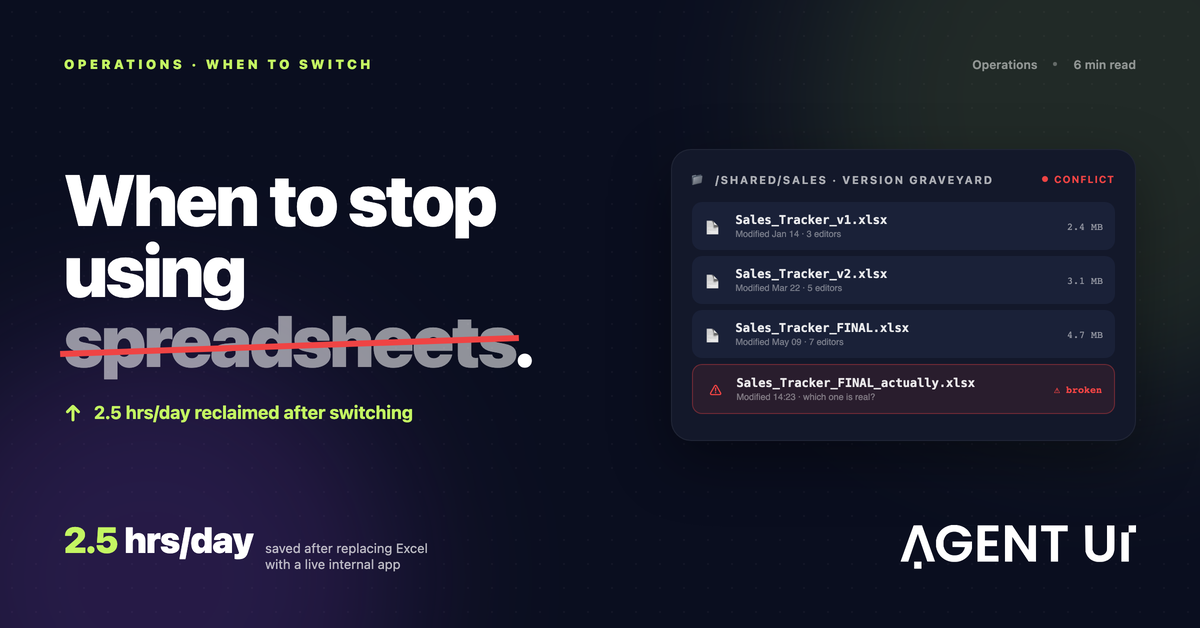
A version graveyard of spreadsheets — Tracker_v1, Tracker_v2, Tracker_FINAL, Tracker_FINAL_actually — replaced by a single live internal app

📋TLDR

  • The warning signs are consistent: multiple people in one file, modified cells, version graveyards (Tracker_v1, v2, FINAL, FINAL_actually).
  • The riskiest combo is collaboration + scale + historical data in a single file — common in sales and inventory operations.
  • Don't wait for a disaster to switch. Proactive beats reactive — you can't think clearly while putting out a fire.
  • Oscar ran his business on one Excel file for 10 years and reclaimed 2.5 hours a day after switching to a no-code internal app.
  • Start small. Build one system that solves one real problem. Modular beats monolithic.

The Uncomfortable Truth About Spreadsheets

Here's the uncomfortable truth most teams discover too late: the spreadsheet that got you started will, eventually, quietly start costing you money.

I build AI-powered internal tools for a living, which means I get a front-row seat to the exact moment spreadsheets stop working for people. And it's almost never a dramatic explosion. It's a slow bleed — a moved cell here, an accidental click there, a corrupted dataset that nobody notices until it's already caused problems down the road. By the time most teams call me, the damage has been compounding for months.

So let's answer the real question: when should your team actually stop using spreadsheets? Not "when is it theoretically nicer to have a system," but when does staying on a spreadsheet start working against you?


The Signs You've Already Outgrown It

In my experience, the warning signs are remarkably consistent. You've outgrown spreadsheets the moment more than one person is in the file and things start breaking. People modify cells they're not supposed to touch. Data gets overwritten. And the dead giveaway — the one I see constantly — is the version graveyard: Sales_Tracker_v1, Sales_Tracker_v2, Sales_Tracker_FINAL, Sales_Tracker_FINAL_actually.

If that naming scheme made you wince, you already know.

The pattern is sharpest in any business that manages inventory or tracks sales. Honestly, if you sell anything at all, you eventually need a real system to track those sales. Spreadsheets get especially brutal when three things collide at once:

  • Multiple people collaborating in the same file
  • Real scale — thousands of entries piling up year after year
  • Historical data you can't afford to lose

When collaboration, scale, and history all mix together in one file, the spreadsheet is living on borrowed time.


Don't Wait for It to Break

Here's my strongest opinion on this, and it's the thing I wish more teams understood: most teams wait until something breaks to switch. That's a mistake.

If you wait for the disaster — the corrupted dataset, the lost revenue, the client-facing error — then you're forced to build the tool you need in the middle of the chaos. You're putting out a fire and building the fire department at the same time. The right time to switch is before there's chaos, while everything still works well enough that you can think clearly and build deliberately.

Proactive beats reactive every single time. The teams that thrive make the move while the spreadsheet is merely annoying, not yet catastrophic.


A Case Study: Oscar's Ten-Year Spreadsheet

Let me make this concrete. I worked with Oscar, who runs an operation out of Honduras. He'd spent ten years running his entire business from a single Excel spreadsheet. Ten years of refinement, workarounds, and tribal knowledge all living in one file.

And it worked — right up until it didn't. As he grew, the spreadsheet simply couldn't scale with him. Running an entire operation out of Excel became harder and harder, and the thing that once enabled his growth was now the ceiling on it.

His biggest fear wasn't the cost or the data. It was that he wouldn't be able to build a real system himself. He'd tried hiring developers before, and like a lot of people, he'd been burned — the developers either didn't build what he actually wanted or stopped responding to his needs. That experience left him convinced that a custom system meant handing over control to someone who didn't understand his business.

What surprised him was that he ended up building the entire product himself using a no-code tool, with our human support in the background whenever he got stuck. When he hit a wall, he'd shoot us a message and we'd help him through it. He kept the control. He kept the knowledge of his own operation. He just swapped the fragile spreadsheet for something robust.

The result? He saved two and a half hours every single day. Two hours and thirty minutes, gone from his daily grind, just by replacing the spreadsheet with a system built to match how his operation actually works. Multiply that across a year and you start to see what the spreadsheet was really costing him all along.


How to Do It Right

If Oscar's story resonates and you're thinking about making the move, two pieces of hard-won advice:

1. Start small

The single biggest mistake I see is people trying to build too much at once. They want to replace everything in one giant, all-encompassing system — and they drown in the complexity. Don't.

Build one small system that solves one real problem. If you need multiple capabilities, build multiple small systems rather than one sprawling monster. Modular beats monolithic, especially when you're starting out.

2. Just try it

If you're hesitating because you assume a custom system is too expensive or too slow to build, that math is out of date. The barrier that burned Oscar with developers is basically gone now. With a no-code tool like AgentUI, you can sit down and build something real in a single afternoon — the kind of thing that used to take weeks of back-and-forth with developers before AI.

You don't have to commit your business to it. Just give it a try and see what you can build.


So — When Should You Stop?

Stop using spreadsheets before the spreadsheet stops working for you. The moment you've got multiple people in the file, the moment versions start multiplying, the moment your sales or inventory data feels one wrong click away from disaster — that's your signal. Not the day it breaks. The day you first feel it straining.

Oscar waited ten years. He got back two and a half hours a day the moment he stopped. You don't have to wait that long.

Go open AgentUI, pick the one workflow that's been quietly driving you crazy, and rebuild it this afternoon. Start small, keep control, and get out before the chaos finds you.

Ready to build internal tools?

Try AgentUI for free and build your first internal tool in minutes.