The CRM Trap Every Growing Team Knows
The first time you sign up for a CRM, it feels like a solution.
You are tired of tracking leads in a spreadsheet. Deals are falling through the cracks. Follow-ups are getting missed. Your sales team is spending more time arguing about who owns which contact than actually selling. You need something better than a shared Google Sheet — and HubSpot's free plan or Salesforce Essentials looks like the answer.
Then the team grows to 15 people. The CRM grows with you — but in the wrong direction. You are paying for features you never use. The reports are almost right but not quite. Customizing the pipeline means navigating three layers of menus built for a company that looks nothing like yours. The integration you need costs an extra $200 per month. And the new sales rep who joined last month hasn't logged a single note because the interface makes it easier to text you than to find the right contact record.
This is not a software quality problem. Salesforce and HubSpot are excellent products. The problem is that they were built for the average business — and your business is not average. Your sales cycle has specific stages. Your team has specific handoff points. Your deal structure does not fit a standard opportunity record.
In 2026, you do not have to choose between an expensive generic CRM and a spreadsheet. You can describe how your team actually sells, and have a working custom CRM in about 30 minutes.
Why Off-the-Shelf CRMs Create More Work Than They Solve
The promise of a CRM is simple: one place for all your customer data, so nothing falls through the cracks. The reality for most growing teams is more complicated.
The Adoption Problem Is Not What You Think
Research from across the CRM industry tells a consistent story: 20–70% of CRM projects fail to meet their goals, and the leading cause is not bad software. It is poor user adoption. Fewer than 37% of sales reps use their CRM daily, and 23% of CRM users cite manual data entry as a major obstacle. Another 20% have switched CRM platforms specifically because theirs was "not user-friendly."
This means the market is full of companies paying $500 to $1,500 per month for a CRM that the team works around rather than with. The Monday morning pipeline review is still a meeting where the manager asks each rep what is happening, because nobody trusts the data in the system.
The problem is almost never that sales reps are lazy. The problem is that the CRM was designed for a different team's workflow — and every extra click between "finished a call" and "logged the call" is a call that does not get logged.
The Real Cost of Enterprise CRMs
Off-the-shelf CRM pricing is designed to look affordable per-user. The full picture is different.
Salesforce for a 10-25 person team:
- Base license (Pro Suite): $100/user/month → $12,000–$30,000 per year
- Implementation: $15,000–$50,000 for a standard configuration
- Consulting rule of thumb: budget 40–80% above your license cost for Year-1 total cost of ownership
- Ongoing Salesforce administrator salary: $70,000–$120,000 per year if you hire one
- Year-1 real cost for a 15-person team: $27,000–$80,000+
HubSpot Sales Hub Professional for 25 users:
- ~$20,400 per year at current pricing
- Implementation typically 4–8 weeks, $5,000–$20,000
- Add-ons: $200/month for additional workflow automation, $500/month for higher API limits
- Year-1 real cost: $30,000–$45,000 for a mid-size team
What your 15-person team actually uses out of that platform? The contact record, the deal pipeline, the activity log, and the reporting dashboard. That is roughly 15% of what you are paying for.
The Customization Ceiling
Off-the-shelf CRMs are customizable — to a point. You can rename fields, add custom properties, and build workflows for common scenarios. But the underlying data model is fixed.
If your sales process involves something Salesforce did not anticipate — a non-standard approval step, a multi-party deal structure, a relationship between data objects that does not fit the standard model — you hit a wall. The wall has a solution: a consultant who will customize it for you at $150 to $300 per hour, with a minimum engagement that starts at $5,000.
The CRM that was supposed to save time is now generating its own overhead.
What a Custom CRM Actually Needs
Before you build anything, it helps to be clear about what a CRM does at its core — stripped of the noise.
A CRM answers four questions:
- Who are we talking to?
- Where are they in our sales process?
- What happened the last time we were in touch?
- What needs to happen next?
Every other feature is an elaboration on those four questions. When you build a custom CRM, you build the system that answers those questions the way your team actually works — not the way a CRM vendor assumes you work.
Here is what that looks like in practice for the five modules that matter.
1. Contact and Lead Management
Your contact record is the center of gravity for the whole system. A good contact record for a B2B sales team typically includes: company name, contact name, role, email, phone, LinkedIn URL, how they entered your pipeline (inbound, outbound, referral), and which team member owns the relationship.
For a B2C team, the contact record looks different: customer name, purchase history, preferred channel, support history, and current value.
Neither of these fits the default Salesforce or HubSpot contact layout without significant customization. When you build your own, you include exactly the fields you need and nothing you do not.
2. Sales Pipeline View
Your pipeline is the sequence of stages every deal moves through before it closes. Most teams have between four and eight stages.
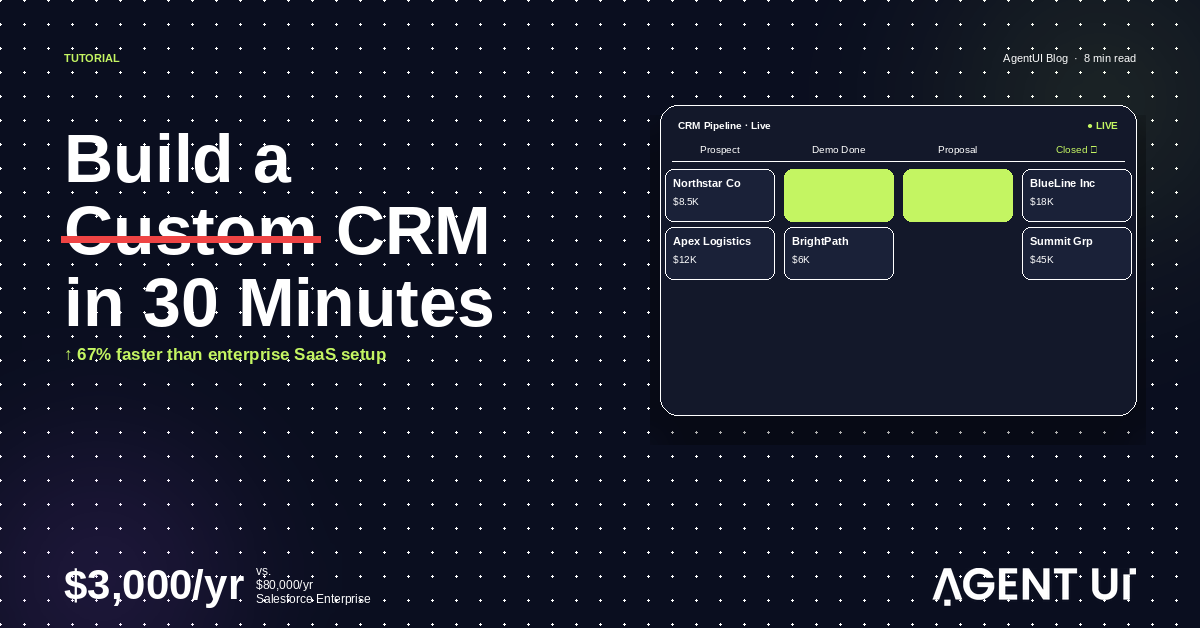
What off-the-shelf CRMs get wrong: they make pipeline stages a dropdown value on the deal record, not a visual board. The drag-and-drop Kanban view is an add-on or configuration step that is easy to break. When you build your own, the Kanban pipeline is the primary interface — not an afterthought.
Your stages are also specific to you. "Qualified Lead" in a SaaS company means something different than "Qualified Lead" in a professional services firm. Build the stages that match your language, not the template.
3. Activity Logging
Every call, email, meeting, and note should attach to the contact record automatically or with one tap. The log should show, in reverse chronological order, every interaction your company has had with this person — regardless of who on your team had it.
Most CRMs do this reasonably well. The problem is that logging the activity requires too many clicks. Your custom CRM can make logging a single action from the contact record, with the entry appearing immediately in the activity feed.
4. Follow-Up Task Assignment
The most common reason deals slip: no one owns the next step. The meeting ended well, both people felt good about it, and nobody created a follow-up task. Three weeks later, the contact has gone cold.
Your CRM should make it trivially easy to create a follow-up task from any contact or deal record — assign it to a team member, set a due date, and have it appear in that person's queue automatically. A deal without an assigned next step should surface as an alert.
5. Reporting Dashboard
Management needs to see pipeline health without asking for it. The reporting view should show: total deals by stage, deals by owner, deals closing this month, average deal size by source, and deals that have not had activity in 30 days.
These reports exist in Salesforce. But they require configuration, and the configuration assumes a data model that may not match yours. When your CRM is built around your data model from the start, the reports reflect your actual data without translation.
How to Build Your Custom CRM with AgentUI
This is the part where most "no-code" guides break down. They show you a drag-and-drop demo and call it building. What you actually want is a working database, a real user interface, role-based access control, and integration hooks that grow with your team — without becoming a developer to get there.
Here is how that works with AgentUI.
Step 1: Describe Your Sales Process
You tell AgentUI how your team sells. Not in technical terms — in plain language. The description should cover: what you sell, who you sell to, what the stages of your pipeline are, what happens at each stage, who on your team owns which parts of the process, and what information you track about each deal.
A real example of the kind of description that generates a working CRM:
"We sell B2B software to operations directors at logistics companies. Our pipeline has six stages: Prospect, Outreach Sent, Meeting Booked, Demo Done, Proposal Sent, Closed Won or Closed Lost. Each deal is owned by a sales rep. When a deal moves to Proposal Sent, it needs a follow-up task assigned to the rep with a 5-day deadline. Our sales manager should see the full pipeline. Reps should only see their own deals. We want to track deal value, close probability, and next action date."
That description generates a system that matches how you sell. You do not adapt your process to the CRM. The CRM adapts to your process.
Step 2: AgentUI Builds the System
From your description, AgentUI generates:
- A database with the right tables: Contacts, Companies, Deals, Activities, Tasks — with the correct fields, relationships, and data types for your use case
- A Kanban pipeline view showing deals by stage with drag-to-update and color-coding by probability or age
- A contact profile page with the activity log, deal history, and linked tasks all visible in one place
- Role-based access control so reps see their deals and managers see everything
- A dashboard with the reporting views you actually need, not the fifty you do not
- Task management with due-date alerts and per-user queue views
The first working version is typically ready in about 30 minutes. It runs on a real database, handles real data, and is accessible via a URL with login — not a mockup or prototype that requires separate engineering to function.
Step 3: The Engineering Team Handles the Edges
Here is where the experience separates from other AI builders.
When you hit something the first version did not quite get right — a complex workflow, an integration with your email provider, a reporting view that pulls from a data source you did not describe upfront — AgentUI's engineers step in. Not a ticket queue. Not a forum. A shared Slack channel where a real engineer handles it, usually within hours.
The practical effect: the 10% of your CRM that is genuinely complex — integrating with your existing email, connecting to your billing system, building the weekly digest report that goes to the CEO — gets handled by people who know how to build it, not left as an exercise for the sales team to figure out.
The Real Cost Comparison
The numbers side by side:
| Salesforce Pro (15 users) | HubSpot Pro (25 users) | AgentUI Team (25 users) | |
|---|---|---|---|
| Annual license | $18,000 | $20,400 | $3,000 |
| Implementation | $15,000–$50,000 | $5,000–$20,000 | $0 (included) |
| Admin/consulting | $70K–$120K/yr | $0–$70K/yr | $0 (included) |
| Year-1 real cost | $27,000–$80,000+ | $30,000–$45,000 | $3,000 |
| Features used | ~15% | ~20% | 100% |
The argument for Salesforce is that it scales. It is enterprise-grade, deeply integrated, and has 20 years of product development behind it. That argument is entirely correct — for companies operating at a scale where Salesforce's complexity is an asset rather than a burden.
For a 5-to-25-person sales team, you are not buying Salesforce. You are buying Salesforce's complexity at Salesforce's price for a team that needs a pipeline tracker, a contact log, and a task queue.
What Adoption Looks Like in Practice
The comparison that matters most is not the price tag. It is how the team actually uses the tool.
Adoption in a generic CRM: The sales manager runs a weekly meeting to ask each rep what is in their pipeline. Reps update the CRM the morning of the meeting, not as deals move. The pipeline reflects "last updated before the meeting," not current status. Reports are accurate only for one morning per week.
Adoption in a custom CRM: The CRM is the tool the team uses to do their work, not to report on their work. Logging a call is a single tap on the contact page. Moving a deal forward happens by dragging the card in the pipeline view. The task queue is what tells reps who to call next. The manager sees the real-time pipeline without asking because the team is updating the CRM while they work, not as a separate reporting exercise.
The difference is friction. Every extra click between "finished a call" and "logged the call in the CRM" is a call that does not get logged. When you build a CRM that fits your team's actual workflow, that friction disappears.
Integrations That Actually Matter
A CRM without integrations is a contact database. The integrations are what make it a workflow engine. In priority order for most sales teams:
Email integration. Every email sent or received from a contact should appear in the activity log automatically, or at minimum with a one-click log option. If logging requires switching apps, reps do not log it.
Calendar integration. When a meeting is booked with a contact, it should appear in their activity log and trigger a post-meeting follow-up task automatically. This eliminates the manual step of creating a follow-up for every meeting.
WhatsApp integration. For teams with significant Latin American or international customer bases, WhatsApp is the primary sales channel — not email. A CRM that does not capture WhatsApp conversations is blind to half its sales activity. AgentUI's native WhatsApp integration pipes conversations directly into the contact record without manual copy-paste.
Stage-change notifications. When a deal moves to a key stage, the right person should be notified automatically — without someone remembering to send the update. Slack or email notifications for stage changes eliminate the meeting-as-status-update.
Billing and accounting. When a deal closes, the contract value should flow into your billing system. The sales team should not be entering the same data into two places. A direct connection between closed-won records and your billing platform eliminates the handoff.
Frequently Asked Questions
Can I migrate existing data from Salesforce or HubSpot?
Yes. Your existing contact and deal data can be exported from your current CRM and imported into AgentUI's database. Most teams migrate in one pass before going live — no downtime, no period where the team operates across two systems simultaneously. Standard contact and deal fields migrate cleanly; custom objects may need a brief setup call with the AgentUI team.
What if the CRM needs to be customized after launch?
This is the norm, not the exception. Businesses evolve and the CRM should evolve with them. Changes are made through the same plain-language description process — you describe what needs to change, the AI updates the system, and the engineering team handles anything complex. There is no change request queue and no additional billable hours. Modifications are included in your plan.
Is it secure enough for customer data?
AgentUI is SOC 2 Type II compliant, GDPR-ready, and supports HIPAA with a Business Associate Agreement available. Every action is logged with actor, timestamp, and IP address by default — not as a premium add-on, but as a standard feature across all paid plans. Data is encrypted at rest with AES-256 and in transit with TLS 1.3. Per-tenant isolation ensures your customer data is never commingled with another company's data. Role-based access control ensures that reps can only access the contacts and deals assigned to them.
What happens when the team grows beyond 25 users?
The Team plan covers 25 internal users. Enterprise is available for unlimited users, on-premise deployment, and a dedicated support developer. All plans include unlimited external users — your customers are never counted against your user limit.
How long until the CRM is production-ready?
The first working version takes about 30 minutes. Most teams spend a few days testing, adding real data, and making adjustments before going live. A fully production-grade CRM with custom integrations and refined workflows is typically complete within one week. That includes audit logging, role-based access, and environment separation — built in from the start, not configured separately afterward.
Do I need to know anything about databases or code?
No. You describe how your team sells in plain language. The AI generates the database schema, the UI, and the permissions. You do not need to understand how any of it is built. If you want to see the generated code — and many customers do — it is fully inspectable. But inspecting it is optional, not required.
Start With the Workflow That Hurts Most
The right way to build a custom CRM is not to try to replace your existing system all at once. Start with the workflow that causes the most friction right now.
For most sales teams, that is one of three things:
- Deals slipping because follow-up tasks were never assigned
- Management spending more time asking for pipeline updates than getting them
- Contact records no one trusts because the data is always outdated
Pick one. Describe it in plain language. Build the version that solves that problem. Get the team using it. Then add the next piece.
The CRM that your team actually uses — even if it starts as a simple contact database and pipeline — is worth more than the full-featured platform that collects dust because the interface is too complex to use between customer calls.