WhatsApp Automation for Business Owners
WhatsApp automation for business owners starts with the messages you answer forty times a day: where is my order, what does it cost, can I book Thursday. Describe the reply you would give and AgentUI builds the automation, connects it to your real data, and hands the chat to a person the moment it stops being routine. Every conversation is saved — so the business no longer runs out of your phone.
A WhatsApp number is included — nothing to connect, no Meta Business setup, no waiting for API approval. Bring your own number later if you want to.
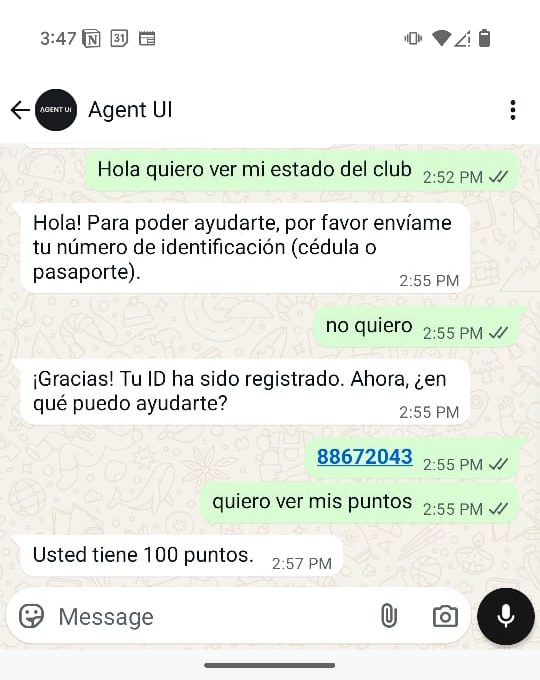
How a WhatsApp automation gets built — in plain language
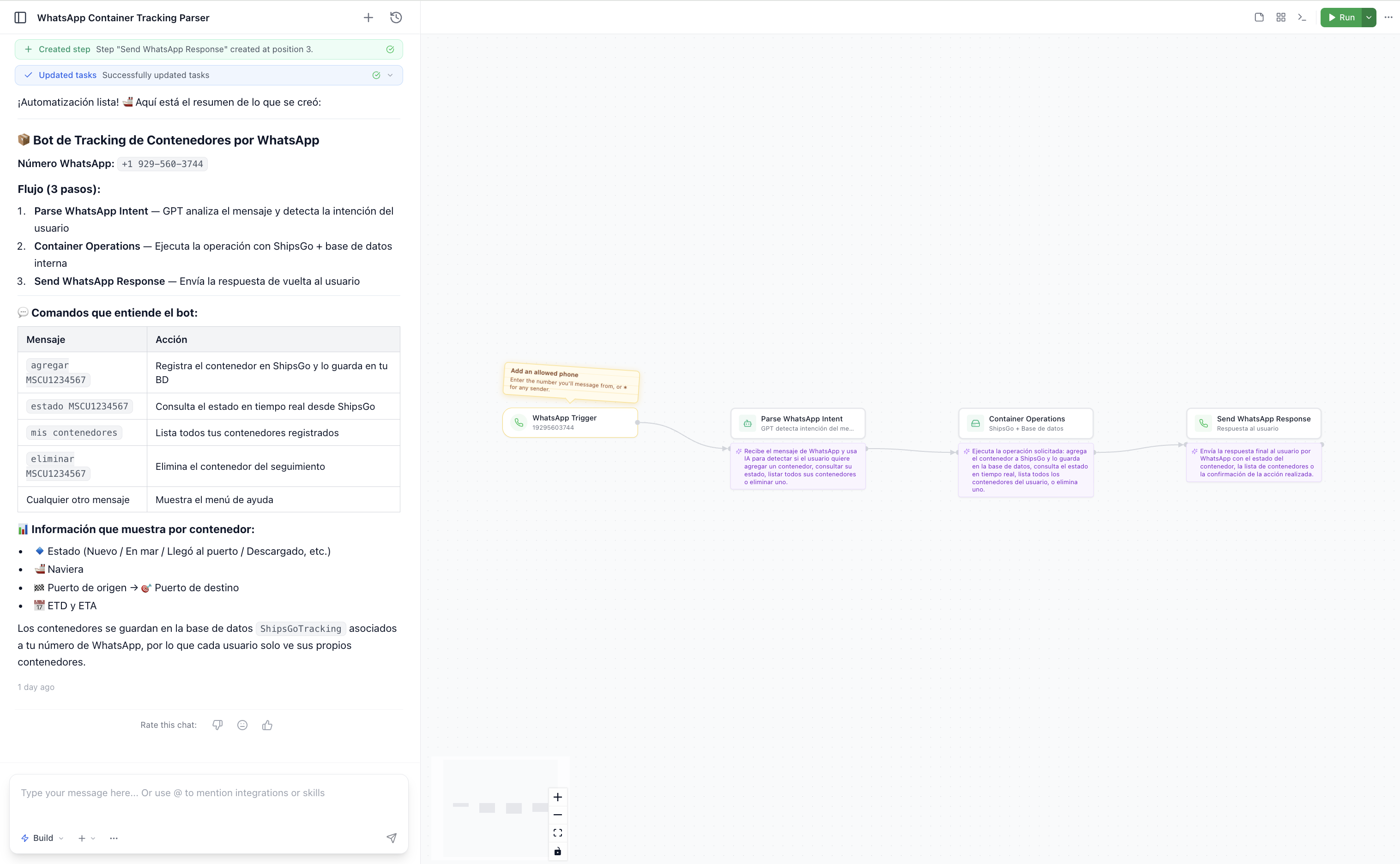
You describe the flow the way you would explain it to a new employee: "when someone sends a tracking number, look it up and reply with the status; if they ask for anything else, send it to me." AgentUI builds the trigger, the steps and the reply, shows you each one, and runs it on your WhatsApp number.
For owners whose phone is the bottleneck — not for a 40-seat contact centre
Shops, clinics, workshops, distributors and delivery businesses running orders, quotes and bookings through WhatsApp on two or three phones. You do not have a developer, you are not going to read the Cloud API docs, and you cannot afford a week of downtime while somebody experiments.
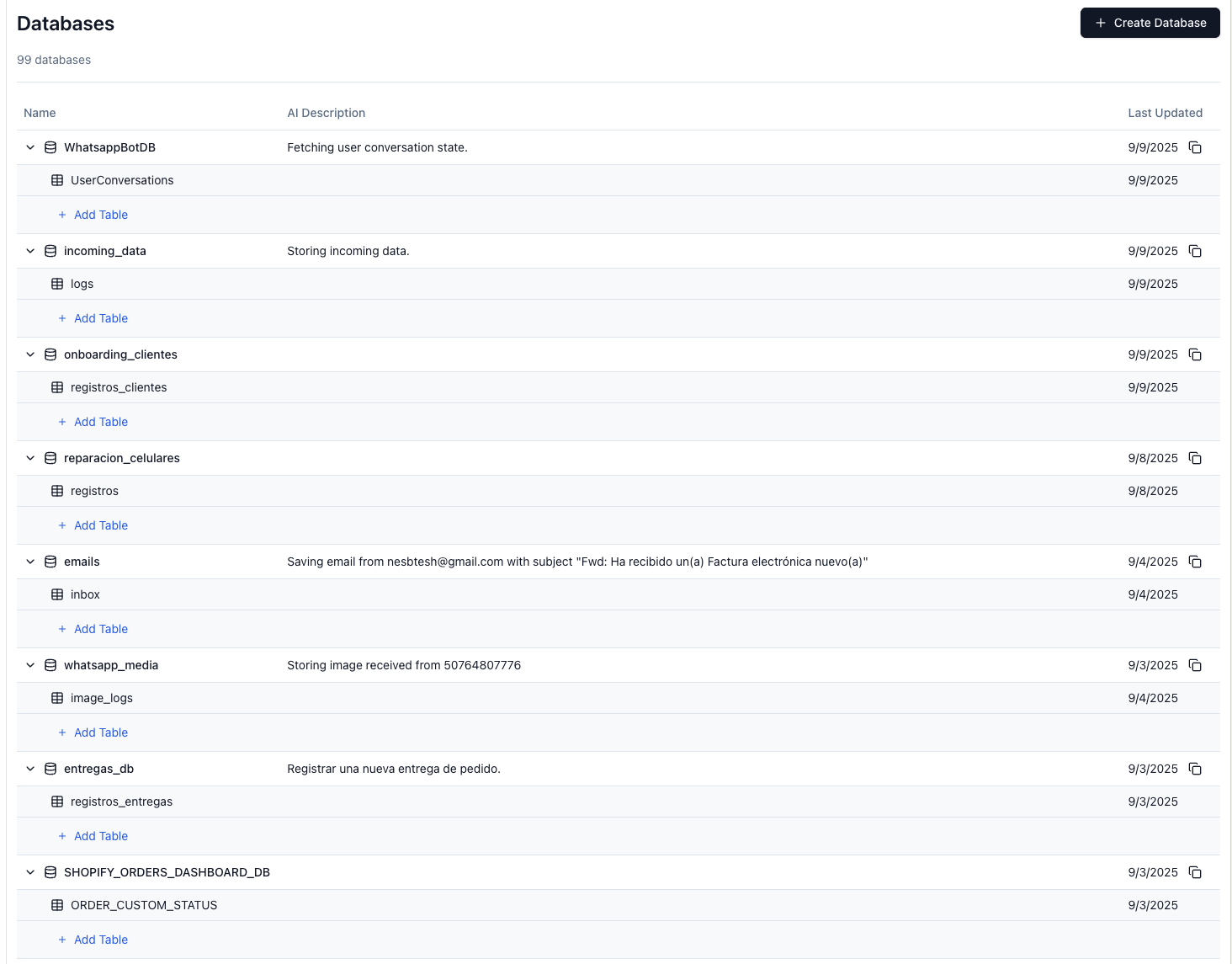
Every chat lands in a database you can actually open
Orders, tracking numbers, registrations and the answers your automation gave are written to your own database — not trapped in someone's phone. Pull a report on what was promised to whom, connect the same data to a dashboard your team uses, and stop reconstructing a week of conversations from screenshots.
The automation knows when to stop and get a person
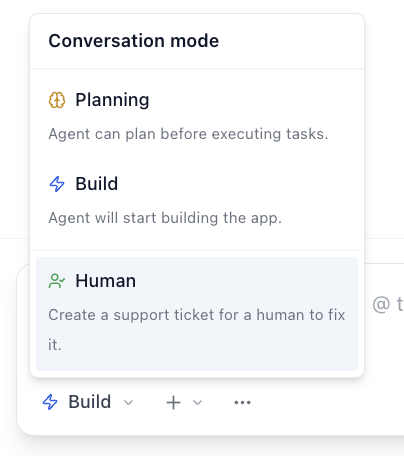
The fear with WhatsApp bots is the customer who gets stuck in a loop while your reputation burns. Set the cases that must reach a human — a complaint, a refund, anything the automation is unsure about — and the conversation is handed over with the full history attached, so nobody has to ask the customer to repeat themselves.
What you do not have to deal with
The reasons owners abandon WhatsApp automation are almost never the messages. They are everything around them.
Connecting a number
A WhatsApp number comes with the setup. No Meta Business account, no API approval queue — connect your own number only if you want to.
Waiting on a developer
You describe a change in a sentence and it ships the same day — no ticket, no agency retainer.
Data trapped in the chat
Everything the automation touches is written to a database you can query, export and build on.
Angry customers in a bot loop
Rules decide what must reach a human, and the handoff carries the whole conversation with it.
Who saw what
Role-based access and an audit log of every change, including the ones the AI made.
Rebuilding it every season
New promo, new price list, new opening hours — you edit the automation yourself, in a sentence.
What happens after you book the call
We start from the messages you are actually getting: bring twenty real WhatsApp threads to the call and we map which ones an automation can close, which ones need a person, and what data has to be connected first. Start free and build it yourself, or have our team set up the first flow with you and train whoever answers the phone today.