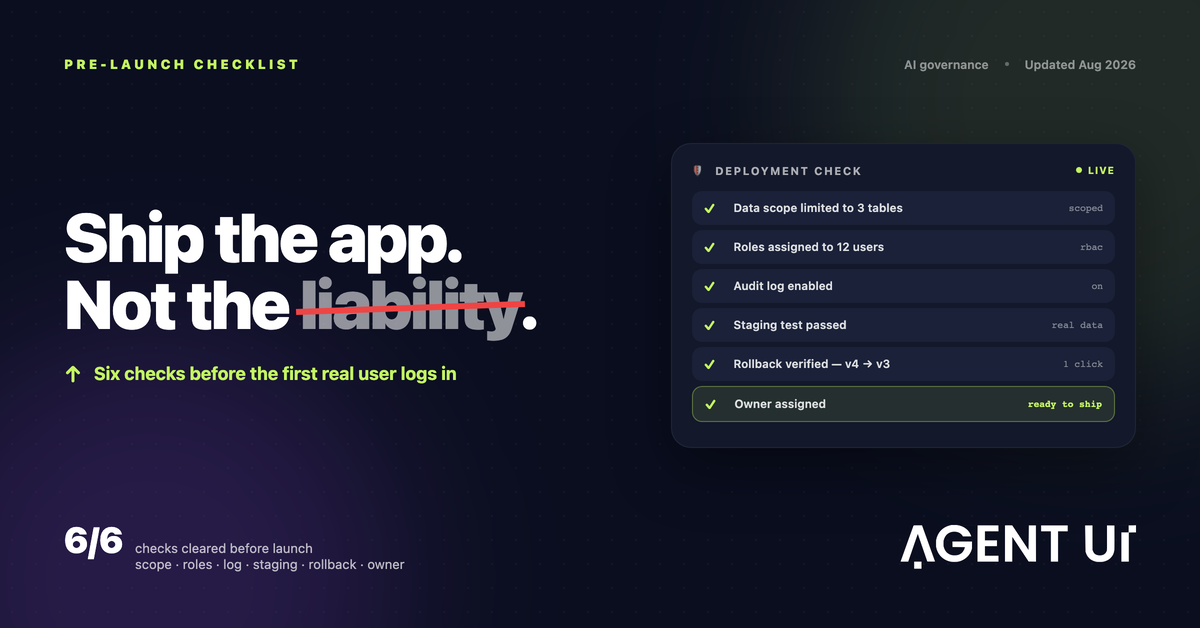
To deploy AI apps safely, verify six things before launch: the app can only read the data it needs, every user has a role, the audit log is on, it was tested on staging with real-shaped data, you can roll back to the previous version in one click, and a named person owns it. Skip any one of them and you haven't deployed an app. You've deployed a liability that nobody is watching.
Building the app was the easy part. With AI, a working internal tool can exist by lunchtime. Whether it is safe to put in front of real people and real data is decided by those six checks, and every one of them is a setting, not a promise.
Nobody ships an unsafe app on purpose
Unsafe apps rarely come from carelessness. They happen because the app worked in the demo, someone needed it on Monday, and the six checks lived in somebody's head instead of in the platform.
AI makes this more likely, not because AI-written code is worse, but because it removes the slow steps where a developer would have applied these checks out of habit. When an app goes from idea to shareable link in an afternoon, the deployment ritual has to be deliberate.
Run the checklist below before the first real user logs in.
The six-point safe deployment checklist
1. Scope the data before you scope the features
The app should reach exactly the tables and columns it needs, not the whole warehouse because that was faster to wire up.
This is the most common mistake, and every later access problem traces back to it. If the app only needs open orders and customer names, connect a view with those columns. Don't connect the database and plan to "hide the rest in the interface". An app that never receives payroll data can't leak it.
Check: list the tables and columns the app can read. Anything you can't justify in one sentence comes out.
2. Give every user a role
"Everyone can see everything" is a decision, and usually the wrong one. Assign roles before launch, not after the first complaint.
Roles should be about what people do: who can view, who can edit, who can approve, who can change the app itself. Start with the narrowest role that lets each person do their job and widen it when someone asks. Narrowing access after people have got used to it is much harder.
Check: open the app as each role and confirm what it can and can't see, especially salaries, customer contact details and anything financial.
3. Turn the audit log on first
You cannot reconstruct what happened last Tuesday from a log you enabled on Wednesday. Switch it on before real data lands.
A useful audit log answers three questions for every change: who did it, what changed and when. For AI-built apps it should also record the prompt behind a change, so "why does the report look different?" has an answer.
Check: make a test edit and confirm it appears in the log with your name and a timestamp.
4. Test on staging with real-shaped data
Sample data hides the edge cases: the blank column, the duplicate ID, the row from 2019. Rehearse against data that looks like yours.
"Real-shaped" doesn't have to mean real. It means the same columns, the same messiness and roughly the same volume. A staging environment kept separate from production lets you find those problems while they're still cheap, and lets AI-generated changes be reviewed before they are promoted.
Check: run the app's main workflow end to end on staging, including at least one record with missing or odd values.
5. Make rollback a click, not a project
Version history turns a bad change into an inconvenience instead of an incident. Confirm you can go back before you need to.
If every published version is kept, returning to yesterday's version takes seconds. Without that, a bad Friday edit means rebuilding under pressure while people wait.
Check: publish a small change, then roll it back. If that takes more than a minute, fix it before launch.
6. Name a human owner
An app with no owner is nobody's problem right up until it becomes everybody's. Write the name down before you share the link.
The owner should be someone in the team that uses the app, not just whoever happened to build it. Ownership means someone notices when it breaks and has the authority to change it.
Check: the owner's name is written where users can see it, and that person has agreed.
Shipped in a hurry vs. deployed safely
Here is the same app six weeks later. The difference is what you set up on day one.
| When it matters | Shipped in a hurry | Deployed safely |
|---|---|---|
| Someone sees a salary they shouldn't | Found out weeks later, by accident | Blocked by the role, never shown |
| A number in the report looks wrong | Nobody can say who changed it | The audit log names the person and the time |
| An update breaks the main screen | Rebuild under pressure | Roll back to yesterday's version |
| Compliance asks how data is handled | A scramble to reconstruct it | Export the log and the access matrix |
| The person who built it leaves | The tool quietly rots | Named owner and version history |
Common questions
How do I deploy AI apps safely without a security team?
Work through the six-point checklist: scope the data, assign roles, enable the audit log, test on staging, confirm rollback and name an owner. None of them needs a security specialist. They need a platform that exposes those controls as settings rather than as a services engagement.
What's the single most common mistake?
Giving the app broader data access than the job needs, because it was quicker to connect the whole database than to scope one view. Every later access problem follows from that first shortcut.
Do I need a staging environment for an internal tool?
Yes. Sample data won't surface the blank column or the duplicate ID that real data has. A staging pass with real-shaped data is where those turn up while they're still cheap to fix.
Is an AI-built app less safe than a hand-coded one?
Not inherently. The risk isn't that AI wrote it. It's that AI-built apps often skip the deployment ritual a developer would have followed out of habit. The controls are the same; what changes is whether anyone applies them.
What does "roll back" actually mean here?
Every published version is kept, so going back to the previous one is a click rather than a rebuild. That turns a bad Friday change from an incident into an inconvenience.
Who should own an internal AI app?
A named person in the team that uses it, not just the person who happened to build it. Write the name down before the link goes out.
Going further
These six checks are the deployment side of a wider question: how you keep track of everything AI does in your company once apps are live. We cover that in what AI governance looks like in practice.
In AgentUI, each check is a setting: role-based access, audit logs, separate environments and one-click version history. The security page explains how they work.