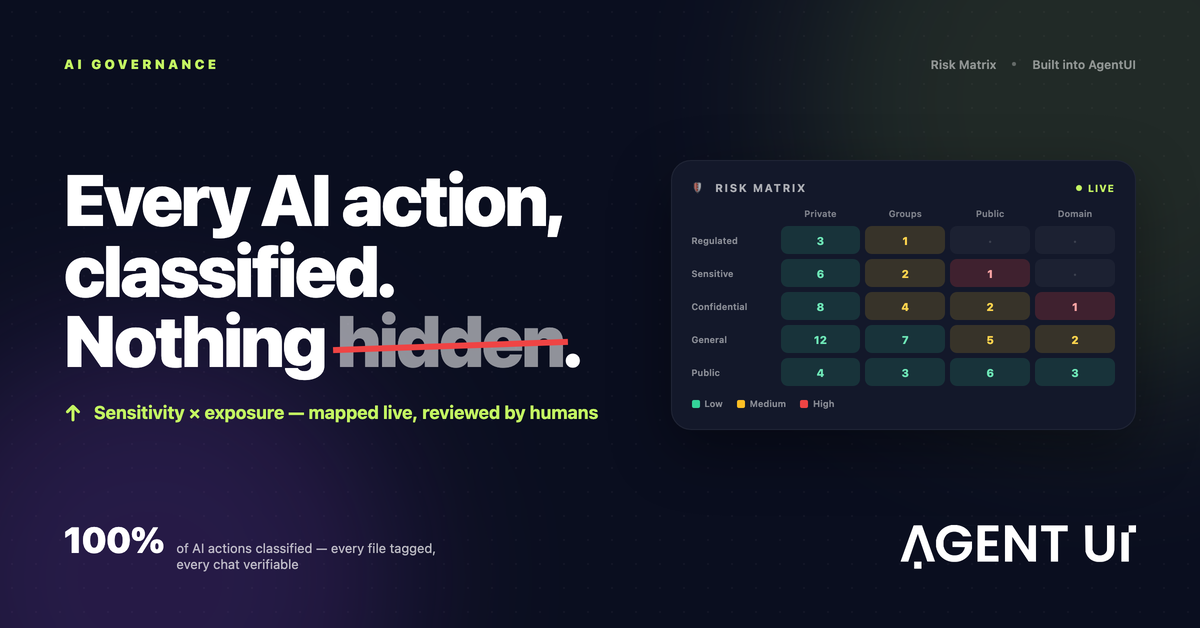
AI governance is full visibility into everything the AI does, and into the human input behind it. Every action the AI takes, every file it reads or produces and every conversation that led to a change is recorded, classified and available to the people responsible for it. If you cannot answer "who asked the AI to do this, what did it touch, and who approved it?", you do not have AI governance yet. You have AI usage.
That definition matters more now that AI doesn't just answer questions. It builds internal tools, edits dashboards, connects to databases and publishes apps that other people use every day. Each of those steps is a decision with consequences, and governance is how you keep track of them.
Why most AI governance is a checkbox
In many companies, "AI governance" is a policy document and a list of approved tools. The policy says sensitive data shouldn't go into prompts and AI-generated apps should be reviewed. Then nothing in the tooling enforces either rule, and nobody can prove afterwards whether they were followed.
The alternative is governance as infrastructure: built into the platform where the AI works, not bolted on afterwards. In practice that means three things are captured automatically, without anyone remembering to do it:
- What the AI did, and how risky it was.
- Which files went into it or came out of it.
- The conversation that caused each change.
1. Classify every AI action by sensitivity and exposure
Not every AI-built app carries the same risk. A lunch-order form shared with the whole company is not the same as a payroll dashboard shared with one team, and neither is the same as a customer list published on a public link.
Two questions sort them:
- How sensitive is the data? A practical scale runs from public through general, confidential and sensitive up to regulated (data covered by law or contract, such as health or financial records). Anything not yet labelled is unclassified, and that is a risk in itself.
- How widely is it exposed? Private to its builder, shared with groups, public, or published on a custom domain.
Cross the two and you get a risk matrix. Most apps land in low-risk cells: general data, private or group access. The cells to watch are sensitive or regulated data with wide exposure, and anything unclassified.
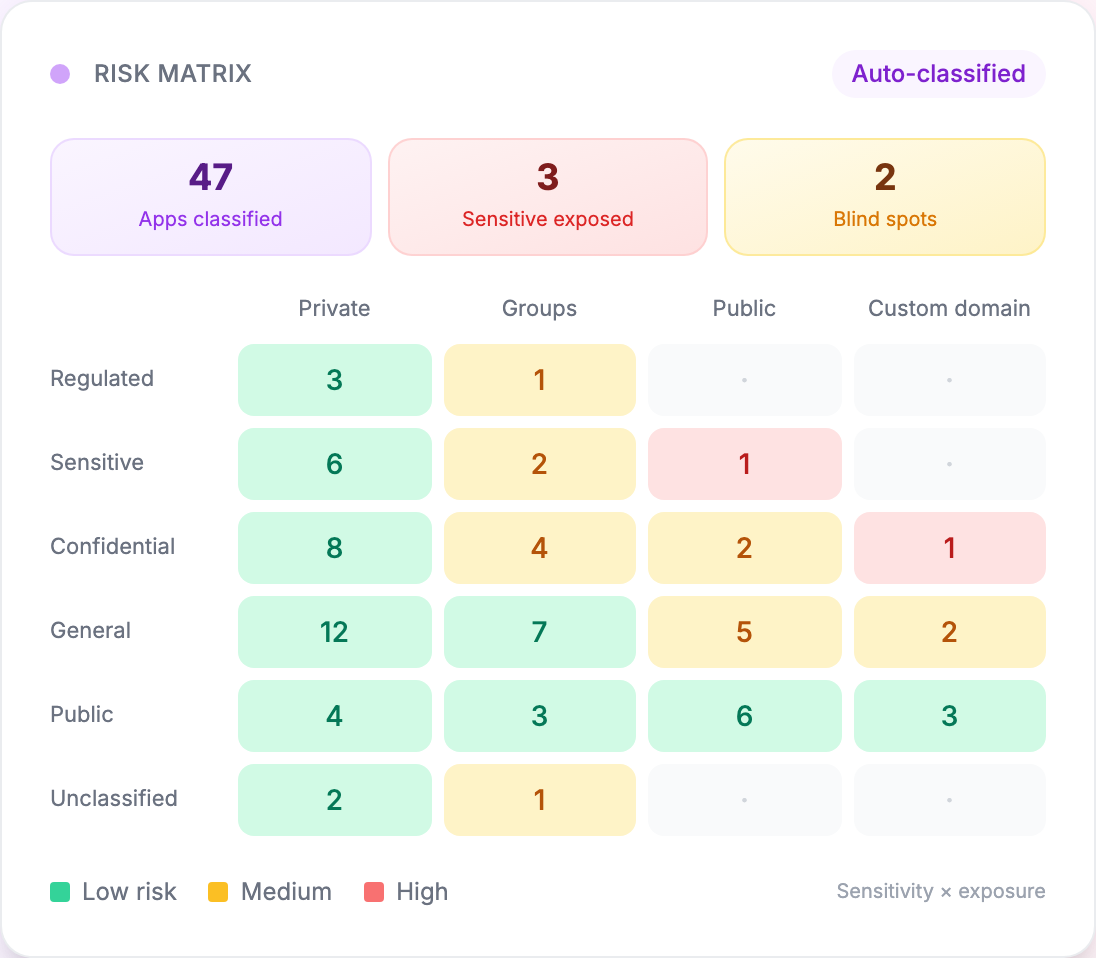
In the example above, 47 apps are classified. Three hold sensitive or confidential data on public or custom-domain links, and two are blind spots: apps nobody has classified. That is the whole point of the matrix. It turns "we think we're fine" into a short, specific list of apps someone should look at this week.
2. Tag every file that enters or leaves the AI
Files are where sensitive data usually slips through. Someone uploads last month's payroll export to get a quick summary; the AI generates a churn report that includes customer names; a pricing model is exported as a CSV and shared.
A governed setup tags each file automatically with its sensitivity — financial, personal, confidential, general — whether a person uploaded it or the AI produced it. Files with sensitive tags go into a review queue; low-risk files can be approved automatically.
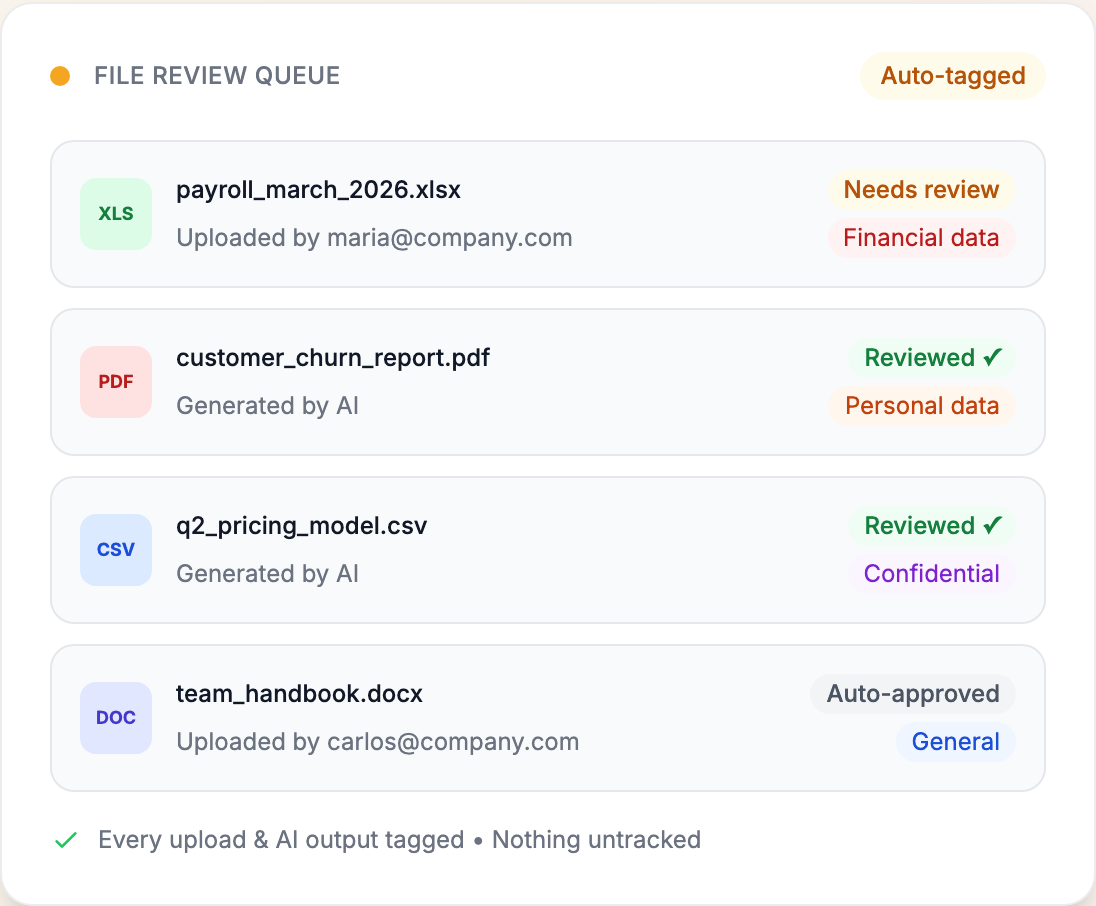
The rule to aim for is simple: nothing enters or leaves the workspace untracked. You may decide most files need no review at all. What matters is that the decision is visible and was made by someone.
3. Keep every chat available for verification
When AI builds and edits software through conversation, the conversation is the change request. If the chat disappears, so does the reason a dashboard now shows refunds, or why a field became editable.
So every conversation should be retained in full: the human prompt, the AI's response and every change that followed. A useful verification record links each response to:
- the app version it produced, so you can see and roll back the exact change;
- the data it touched, with that data's sensitivity;
- the reviewer who approved it before it went live;
- an integrity hash, so the record can be shown to be unaltered.
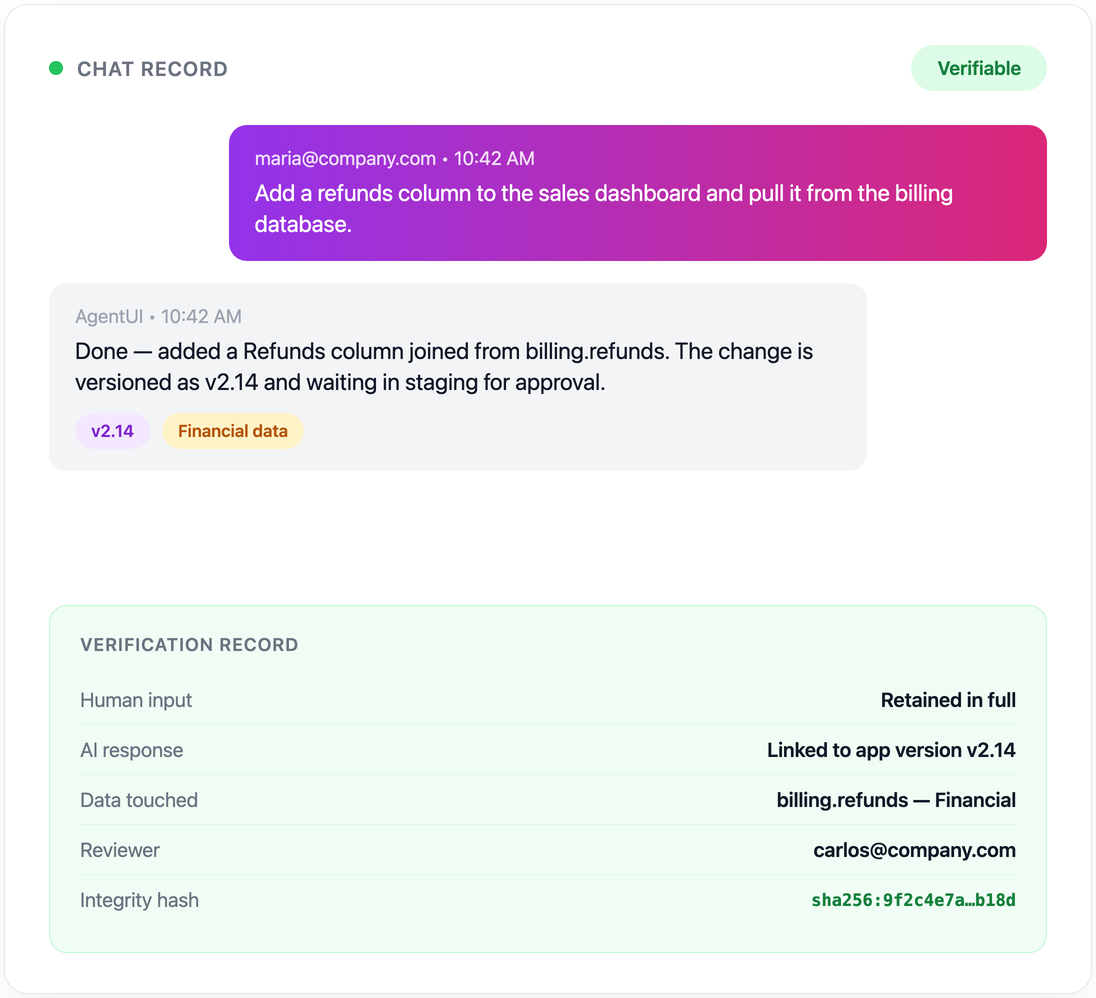
When someone asks "why did the AI do that?", you have the answer, along with who asked for it and who signed it off.
Why this matters
Your compliance team can't approve what they can't audit. Without a clear audit trail, AI tools tend to get rejected by default. Visibility is what lets compliance say yes.
AI-generated tools need the same controls as developer-built tools. An app doesn't get to skip your review process because AI wrote it. It should go through the same access rules, review and release steps as code your developers write.
You need proof that AI outputs are reviewed, versioned and secure. Regulators and internal auditors ask for evidence, not intentions. A record created automatically for every AI action, from generation to deployment, is that evidence.
The six controls that make AI governance real
Classification, file tagging and chat records show you what happened. These controls decide what is allowed to happen:
| Control | What it does |
|---|---|
| Audit logs | Every AI generation, edit and deployment is logged: who prompted what, when, and what changed. |
| Version control | Every app version is kept with full history, so any change can be rolled back. |
| Environment separation | Development, staging and production are separate. AI changes don't go live without being promoted. |
| Role-based access | Control who can build, edit, approve and deploy, and keep builders separate from approvers. |
| Code visibility | Every AI-generated component can be inspected. No black boxes. |
| Certified infrastructure | Apps run on infrastructure audited to a recognised standard such as SOC 2, with data encrypted at rest and in transit. |
How a governed workflow runs
From your compliance team's point of view, a governed AI build looks like this:
- The AI generates the tool from a description, with full transparency into what was built.
- Every change is logged: who prompted the AI, what it generated and every modification after that.
- Your team reviews and approves. Before anything reaches production, someone can inspect the code, review the changes and approve the release.
- Production runs on governed infrastructure, with role-based access and separate environments.
Governed AI vs. uncontrolled AI
| Capability | Uncontrolled AI | Governed AI |
|---|---|---|
| Audit trail | None | Full logs |
| Version history | None | Every change tracked |
| Environment separation | No | Dev / staging / production |
| Access controls | No | Role-based |
| Code review | Black box | Fully inspectable |
| Compliance | Unknown | Audited infrastructure (e.g. SOC 2) |
Where to start
If you are setting this up from scratch, start with the controls that can't be added after the fact: switch on audit logging before real data arrives, give every user a role, and label the data your AI-built apps can reach. Then run each new app through a short pre-launch check — our checklist for deploying AI apps safely covers the six steps.
We built this into AgentUI — the risk matrix, file tagging and verifiable chats sit next to audit logs, version history and role-based access. If you want to see how it is set up, the security page has the details.