Build Internal Tools With No Code
Build internal tools with no code by describing what your team needs in plain English — AgentUI writes the app, connects it to your real data, and puts it behind logins and permissions. Dashboards, trackers, client portals, approval flows: working in days, not next quarter's IT roadmap.
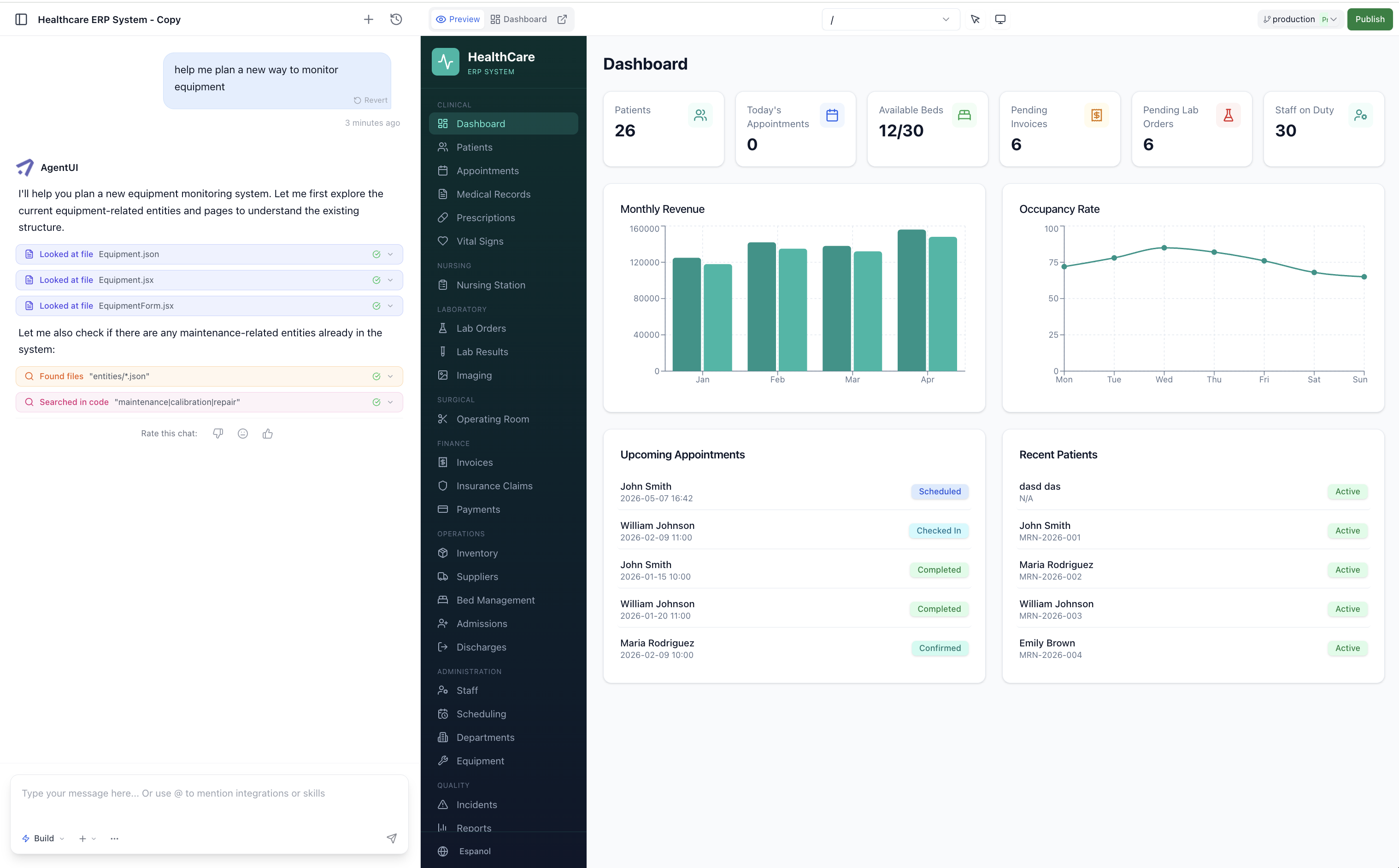
How no-code internal tool building actually works
Describe the tool in one sentence
"A delivery tracker my three warehouse leads update daily." No templates to configure, no drag-and-drop grid to fight.
AgentUI builds the working app
Tables, forms, dashboard and roles come back wired together — in minutes, not sprints.
Connect your real data
Point it at Postgres, your Excel exports, Shopify, WhatsApp or any API. The numbers come from the source instead of a copy-paste.
Publish it to your team
Ship it behind logins with role-based access. Need a new column next month? You change it yourself.
Built for the ops manager who can't wait on the IT backlog
You know exactly what the tool has to do — you're the one who rebuilds the report every month. AgentUI hands the building to the person who understands the process, and keeps a human on the other end when it gets complicated.
One shared database instead of nine copies of the same spreadsheet
Every tool you build reads and writes to the same database, not to a file sitting in someone's downloads folder. Give the warehouse write access and your director read-only, and the version argument disappears — when someone asks which number is right, there is only one.
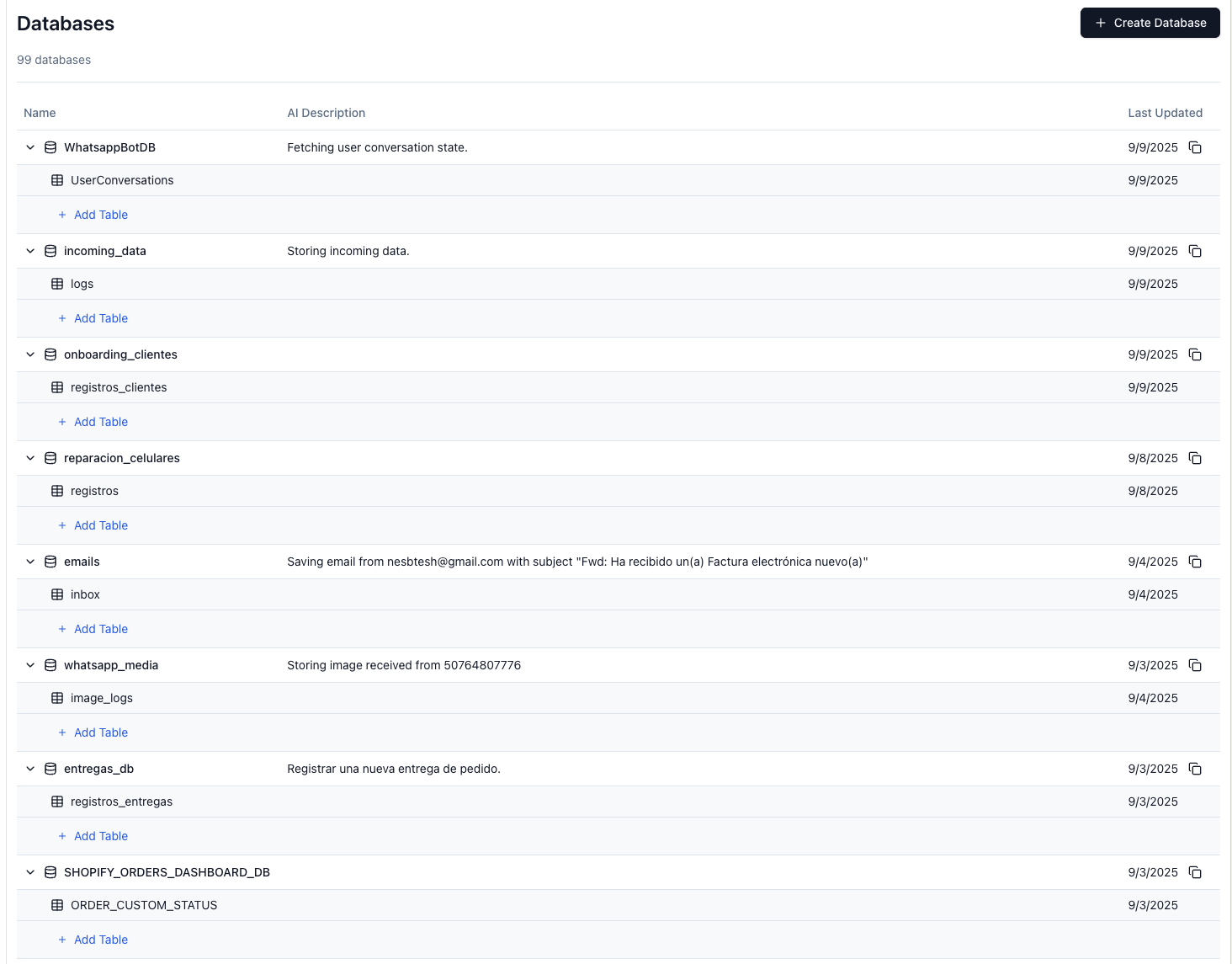
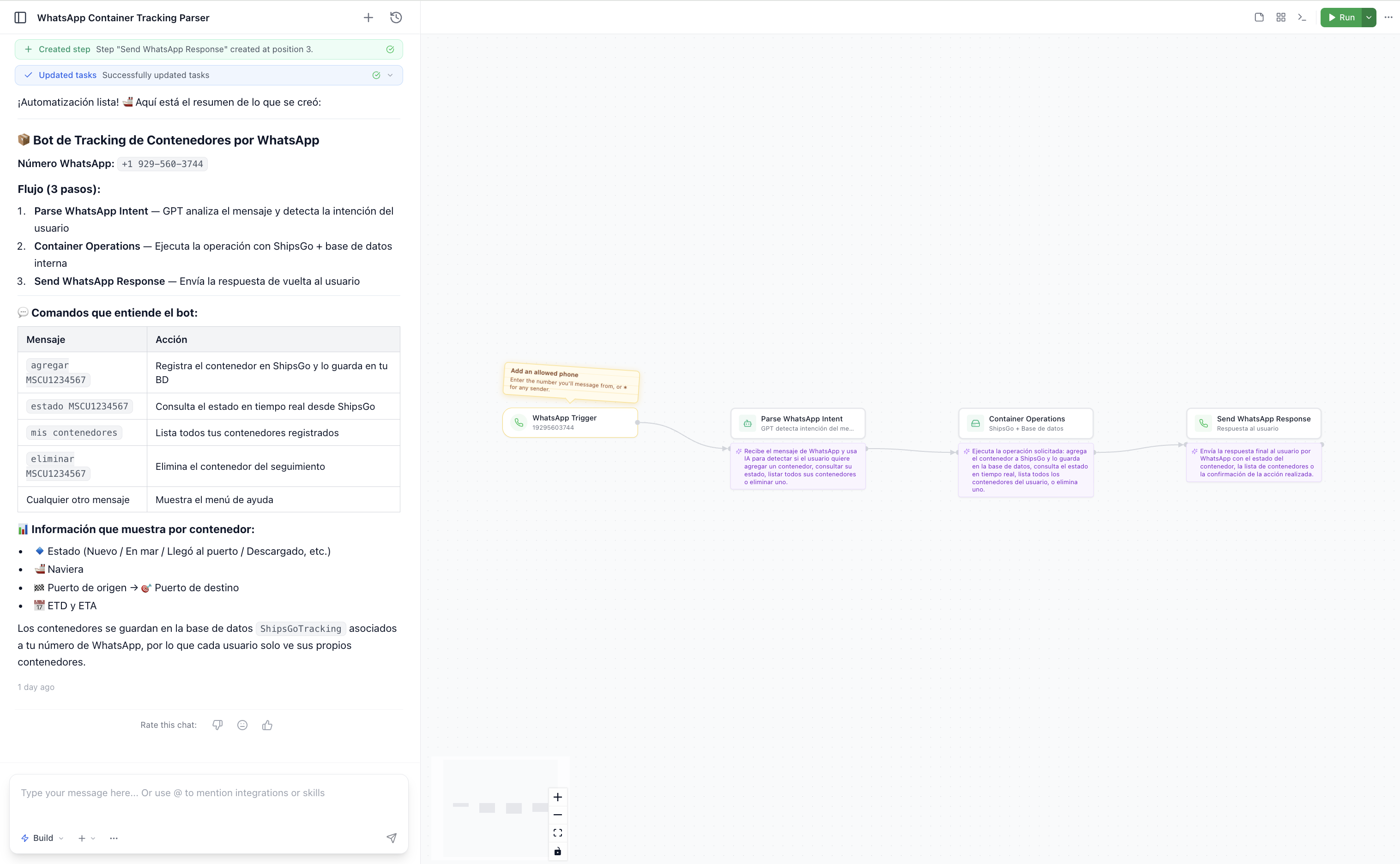
Automations and integrations, asked for the same way
Ask for the workflow in the same sentence style: a WhatsApp bot that logs container status, a nightly job that rebuilds the Monday report, an integration that pushes orders into your ERP. AgentUI builds the flow, shows you every step it created, and runs it on schedule — so the report stops eating six hours of your month.
No code doesn't mean no control
The reason no-code tools get banned internally is that nobody can audit them. These controls ship with every app you build.
Role-based access
Decide who sees the margin column and who only fills in the form.
Audit log of every change
Who changed what, when — including everything the AI did on your behalf.
Dev, staging and production
Test a change before the whole team sees it. No editing live by accident.
SOC 2 Type II infrastructure
The answer your IT and compliance team asks for before approving a tool.
Real code you can inspect
Nothing is a black box. Read it, export it, hand it to a developer later.
No one-person dependency
The tool belongs to the team, not to whoever built it. Anyone with access can change it.
What happens after you click: a human builds the first tool with you
Start free and build it yourself, or book a call and our team scopes the data, wires the integrations and trains the people who will use it every day. Paid plans start at $25/month, and the humans are included — that is the difference between a tool your team adopts and another abandoned app.