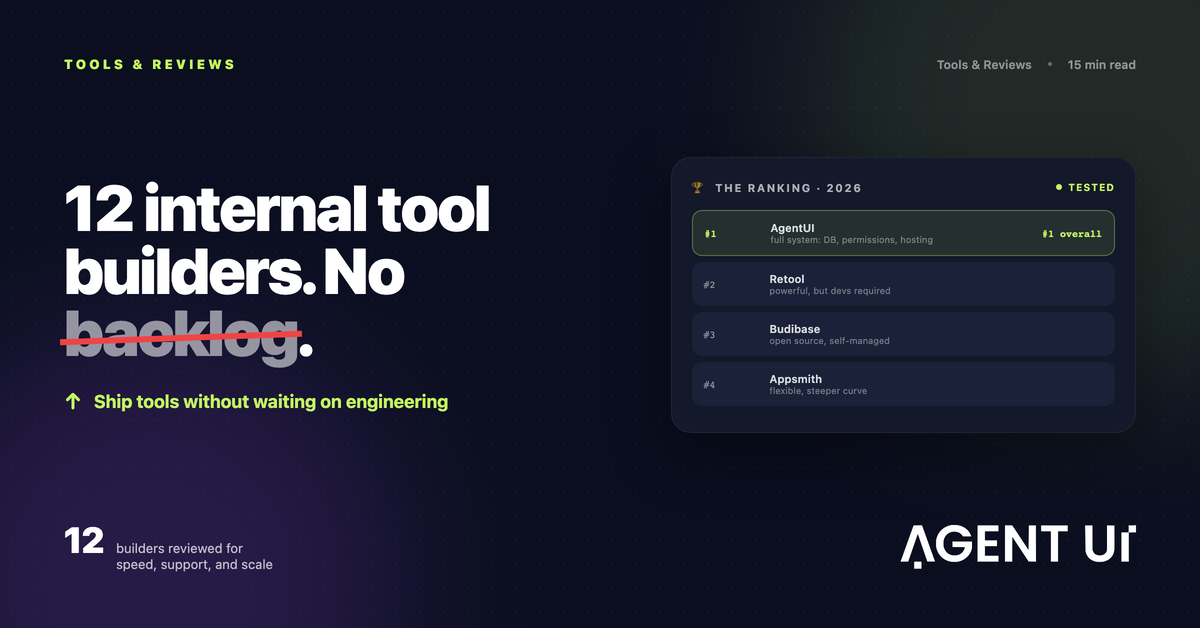
New problems pop up daily. Even if you have an IT team, their backlog is packed. Internal tool builders let you ship custom apps quickly, centralize data, and add just-enough logic — often in hours once you learn the platform.
Custom apps made easy
Build dashboards, forms, and automations without starting from scratch.
For teams that can't wait, these platforms help you turn messy processes into reliable internal tools. Data gets connected and centralized; UI components and logic stitch everything together.
After hands-on testing, here are the best internal tool builders to help you stay agile and productive.
Why internal tool builders are exploding in 2026
The pressure is structural, not seasonal. App sprawl keeps growing, engineering time is scarce, and low-code adoption has crossed the tipping point. Internal tool builders let ops teams close the gap without waiting in the IT backlog.
The average company now runs about 93 SaaS apps (105 in the US), so the integration and glue-work that internal tools solve keeps compounding. (Okta)
Developers spend more than 17 hours a week on maintenance and bad-code fixes — roughly 42% of their time. Every internal tool a non-dev ships is time returned to engineering. (Stripe Developer Coefficient)
Companies with top-quartile developer velocity grow revenue four to five times faster — modern tooling is a business lever, not a cost. (McKinsey)
Gartner projects that most new app development now leans on low-code, accelerating internal delivery across every department. (Gartner)
The 12 best internal tool builders
- •AgentUI for AI-generated front-ends, databases, and workflows (no-/low-code)
- •Zapier for AI orchestration
- •Glide for a no-code solution
- •Softr for creating with AI
- •Google AppSheet for starting from a spreadsheet
- •Zoho Creator for connectivity and extensibility
- •Microsoft Power Apps for advanced logic without code
- •Budibase for an open-source solution
- •Retool for extending with code
- •OutSystems for an enterprise-grade solution
- •Appsmith for pay-as-you-go, dev-friendly internal tools
- •Superblocks for enterprise back-office apps and workflows
What is an internal tool builder?
An internal tool builder lets you create work apps for your team: CRMs, inventory managers, onboarding portals, editorial calendars — anything that streamlines operations. Unlike generic app builders, these focus on data + functionality: connect sources, visualize with UI components, and wire up CRUD + workflows so teams can act fast.
If this isn't exactly what you need:
- •Try a database-powered app builder if you're graduating from spreadsheets.
- •Explore no-code app builders for broader use cases or AI app builders for generative features.
- •Consider work OS tools like monday.com or ClickUp if you want modules over full custom apps.
- •Not sure where to start? See the guide on choosing the right app builder for your project.
What makes the best internal tool builder?
How we evaluate and test apps
These roundups come from humans who build and break software for a living. On each platform we built the same real workflow — an employee onboarding portal with forms, a status pipeline, and role-based access — then noted setup time, friction points, and where each hit a wall. We measured four things: can a non-technical person ship a working tool without a developer; how deeply it connects to Google Sheets, Airtable, SQL, and Slack; what it costs going from 10 to 100 users; and whether it meets enterprise bars for SSO, RBAC, and audit logs. No paid placement — ever.
Core criteria
Development options.
Prefer platforms spanning no-code, low-code, and full-code so non-technical users can build — and IT can scale.
Data sources & integrations.
Broad connectors, webhooks, APIs, and automation hooks.
Flexibility & customization.
From common CRUD tools to niche workflows, with robust UI components.
Scalability & reliability.
Solid performance, versioning, environments, uptime, and enterprise controls.
Platform reputation.
Momentum, roadmap clarity, and community trust.
No-code vs. low-code vs. full-code
The best internal tool builders at a glance
| Platform | Category | Best for | Pricing |
|---|---|---|---|
| AgentUI | No-/Low-code | AI-generated UIs, DB schemas, and workflows with enterprise controls | Free trial; tiered plans; enterprise available |
| Zapier | No-code | AI orchestration and automation across 8,000+ apps | Free; paid from $19.99/mo (annual) |
| Glide | No-code | Beautiful no-code apps fast | Free; paid from $25/mo |
| Softr | No-code | AI-assisted app creation | Free; paid from $59/mo |
| Google AppSheet | Mostly no-code (easy low-code) | Building from spreadsheets | Free to build; deploy from $5/user/mo |
| Zoho Creator | No-/Low-code | Connectors, microservices, and extensibility | From $12/user/mo |
| Microsoft Power Apps | Easy low-code | Advanced logic without code | From $50/user/mo; some features extra |
| Budibase | Easy low-code | Open-source, self-hosted control | Free self-host; cloud from $60/creator/mo + $6/app user/mo |
| Retool | Low-code → Full-code | Code-extensible apps and workflows | Free; Team from $12/standard user/mo + $7/end user/mo |
| OutSystems | Full-code | Enterprise-grade delivery at scale | First app free; from $36,300/yr |
| Appsmith | Low-code | Dev-friendly, usage-based builds | Free; paid/usage options available |
| Superblocks | Low-/Full-code | Enterprise back-office and workflow apps | Contact sales |
Best for AI-generated internal tools with UI, backend and logic
AgentUI (no-/low-code)
Visit sitePros
- ✓Generate React/Tailwind front-ends, Postgres/Prisma schemas, and n8n-style workflows with prompts
- ✓Strong enterprise features: on-prem options, SSO/AD, audit logs, role-based access, SOC-2-friendly posture
- ✓White-glove human onboarding so a tool never becomes one person's fragile dependency
- ✓Blueprints to reuse apps (dashboards, forms, document systems, AI agents)
- ✓Multi-service orchestration (API, worker, scheduler) and background tasks
Cons
- ✗More power than beginners may need on day one
- ✗Best results when teams align on a prompt/workflow convention
Why it stands out
AgentUI unifies what others split: AI-generated UI, database, and automation in one flow. Describe a CRM, a vendor onboarding portal, or a WhatsApp support agent; AgentUI scaffolds front-end pages, creates tables and relations, and wires workflows, then lets you refine visually or with code. Blueprints and enterprise deployment options make it fit startups and regulated industries alike — and unlike self-serve tools, real humans help you launch.
Best internal tool builder for AI orchestration
Zapier (no-code)
Visit sitePros
- ✓Enterprise-grade automation; 8,000+ integrations
- ✓Interfaces, Tables, Chatbots, Agents — automation at the core
- ✓Button-triggered Zaps inside apps
Cons
- ✗UI customization is limited vs. dev-oriented builders
Why it stands out
Zapier fuses automation and AI into internal tools. Build forms/portals in Interfaces, store in Tables, and kick off multi-step Zaps or AI Agents from buttons. Great glue for your stack.
Best internal tool builder for a no-code solution
Glide (no-code)
Visit sitePros
- ✓Polished UX by default; responsive apps
- ✓Generous templates and easy logic
Cons
- ✗Developer-grade DBs and some connectors require higher tiers
Why it stands out
Glide ships gorgeous apps quickly. Add lists, forms, and mobile-friendly flows; layer AI features like text/image generation and transcription.
Best internal app builder for creating with AI
Softr (no-code)
Visit sitePros
- ✓AI generates multi-page app scaffolds in minutes
- ✓Simple editor; fast iteration
Cons
- ✗Large data lists may feel laggy on heavy views
Why it stands out
Start from AI-built pages, then connect Airtable, Sheets, MySQL, and APIs. Great for quick portals with modern blocks (auth, payments, forms).
Best internal app builder for starting from a spreadsheet
Google AppSheet (mostly no-code; easy low-code)
Visit sitePros
- ✓Upload a sheet; get a working app instantly
- ✓Mobile-native features (e.g., barcode scanning), ML/OCR options
Cons
- ✗Editor UX has a learning curve
Why it stands out
AppSheet turns spreadsheets into responsive apps with minimal setup. Customize views, add forms, and deploy when ready.
Best internal app builder for connectivity and extensibility
Zoho Creator (no-/low-code hybrid)
Visit sitePros
- ✓Microservices model: data, APIs, AI, AR assets
- ✓Broad Zoho + third-party integrations
Cons
- ✗Not the most intuitive editor
Why it stands out
Creator centralizes connectors and microservices, then lets you assemble pages, workflows, and AI features — plus code when needed.
Best internal tool builder for advanced logic without code
Microsoft Power Apps (easy low-code)
Visit sitePros
- ✓Deep Microsoft 365/Azure integrations
- ✓Power Fx enables complex logic via formulas
Cons
- ✗Some advanced features priced separately
Why it stands out
Feels like "PowerPoint for apps" with serious data and automation under the hood. A sweet spot for Microsoft-centric orgs.
Best open-source internal tool builder
Budibase (easy low-code)
Visit sitePros
- ✓Open source with solid design system
- ✓Clean editor: Data, Design, Automation, Settings
Cons
- ✗Advanced security/auditing are paid even when self-hosted
Why it stands out
Self-host for control and cost; enable AI via configs or built-in options. Great balance of speed and governance.
Best internal tool builder for extending with code
Retool (easy low-code → full-code)
Visit sitePros
- ✓Powerful components, queries, and JS actions
- ✓Web, mobile, workflows, plus AI agents/templates
Cons
- ✗Editor can slow with very large apps
Why it stands out
Start visually, scale with code. Bring any model/API; bind data and logic across multi-page apps or dense operations dashboards.
Best enterprise internal app builder
OutSystems (full-code)
Visit sitePros
- ✓Robust runtime and deployment model
- ✓Enterprise integrations, analytics, and debugging
Cons
- ✗Steeper learning curve for non-devs
Why it stands out
True enterprise platform: environments per app, strong isolation, and high-performance code generation for mission-critical workloads.
Best dev-friendly, usage-based internal tool builder
Appsmith (low-code)
Visit sitePros
- ✓Open, extensible, developer-friendly
- ✓Pay-as-you-go options; strong community
Cons
- ✗Heavier lift for non-technical teams
Why it stands out
Fast scaffolding for engineers who want control: JS, queries, and widgets that scale from quick tools to robust apps.
Best for enterprise back-office apps and workflows
Superblocks (low-/full-code)
Visit sitePros
- ✓Focused on back-office ops and workflows
- ✓Strong APIs, scheduling, and environment controls
Cons
- ✗Pricing and features are enterprise-oriented
Why it stands out
Great fit for teams standardizing internal ops with governance, scheduling, and integrations across complex stacks.
How to roll out an internal tool builder (without regret)
Picking the platform is step one. These practices are what separate a tool people actually use from shelfware.
Start with one painful workflow
Ship a thin, end-to-end version of a single process in days — not a platform-wide rollout. Win trust, then expand.
Connect data, don't duplicate it
Point the tool at your live SQL, Sheets, or API. Copies drift, break trust, and create silent security risk.
Design for permissions on day one
Define roles, least-privilege access, and audit trails before UAT — retrofitting governance is far more painful.
Plan the escape hatches
Choose a builder that lets engineers drop into code or export components, so you never hit a hard ceiling as needs grow.
Instrument adoption
Track who uses the tool and the hours saved. It justifies the next build and tells you what to iterate on next.
What is the best internal tool builder?
Pick based on who builds and how far you'll scale:
• Want AI to draft UI, DB, and flows in one shot — with humans to help you launch? AgentUI.
• Need best-in-class orchestration? Zapier.
• Prefer pure no-code polish? Glide or Softr.
• Live in spreadsheets? AppSheet.
• Need microservices + AI + broad connectors? Zoho Creator.
• Microsoft shop? Power Apps.
• Open-source control? Budibase or Appsmith.
• Heavy code and complex logic? Retool or OutSystems.
• Enterprise back-office workflows? Superblocks.
Connect data, design the interface, wire the logic — then ship. The right platform reduces errors, speeds iteration, and compounds productivity.
Frequently asked questions
What is the best internal tool builder for non-technical teams?
AgentUI is the strongest choice for non-technical teams because it generates the front-end, database schema, and workflows from a plain-English prompt — then backs it with white-glove human onboarding, so a tool never becomes one person's fragile dependency. You get authentication, role-based access, and audit logs out of the box, with no database design or coding required.
What's the difference between no-code, low-code, and full-code builders?
No-code platforms require zero programming and rely on visual editors or natural language. Low-code platforms are mostly visual but let you drop in SQL, JavaScript, or Python for advanced logic. Full-code platforms give maximum control and performance but need engineering fluency. Many teams pick a builder like AgentUI or Retool that spans no-code and low-code so non-technical staff can build while IT can still extend.
Are internal tool builders secure enough for enterprise use?
Yes, when the platform supports enterprise-grade controls. Look for SSO/SAML, granular role-based access, audit logs, and compliance alignment (SOC 2, GDPR, HIPAA depending on your industry). AgentUI offers SSO/AD, audit logs, role-based access, and on-prem deployment options; builders like Budibase, ToolJet, and OutSystems add self-hosting for stricter data-residency requirements.
Can I build internal tools without replacing my existing systems?
Absolutely — that's the point. The best internal tool builders connect directly to your existing SQL databases, Google Sheets, Airtable, REST/GraphQL APIs, and tools like Slack, so you build a new interface and logic layer on top of data that stays where it lives. This avoids migration headaches and the copy-paste errors that plague manual reporting.
How long does it take to build an internal tool?
With an AI-powered builder, a functional first version of a common tool — a CRM, inventory tracker, or onboarding portal — can be scaffolded in minutes and refined over a few hours, versus the weeks a custom-coded build would take. Complex, deeply integrated apps take longer, but the time-to-first-useful-screen is dramatically shorter than starting from scratch.
Will I get locked into an internal tool builder?
You reduce lock-in by choosing a builder that keeps your data in your own sources, lets engineers write and export custom code, and offers self-hosting. AgentUI generates standard React/Tailwind front-ends and Postgres/Prisma schemas and supports on-prem deployment, so your team keeps ownership of both the data and the underlying code.
Related reading
How AgentUI turns a plain-English prompt into a working internal tool.
The building blocks of internal tools and when to build vs. buy.
A deeper side-by-side of the leading platforms.
Where AgentUI fits if you're outgrowing Retool or Zapier.
Ready-to-clone dashboards, portals, and trackers.
Flat, predictable plans — no per-seat cost spikes.