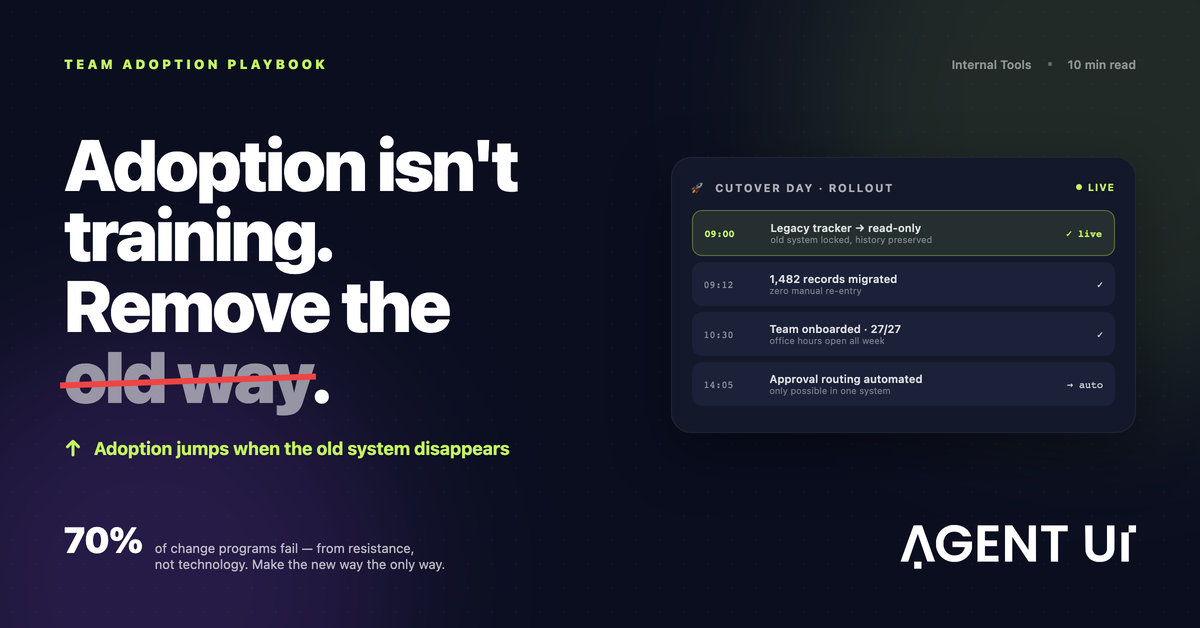
"Let's give it a couple more weeks of transition." If you've ever said that during a software rollout, you already know how it ends: those two weeks turn into two months, and the new tool never fully takes off. I spent about ten years as an IT manager building internal tools, and that sentence — said with the best intentions — was behind most of my failed rollouts.
The Short Answer
How do you get your team to adopt new software? Involve them early, pick an intuitive tool, train on real workflows, and celebrate early wins. That's the textbook answer, and it's not wrong. Adoption is a change-management problem as much as a tooling one.
But the textbook was never enough on its own. What actually worked was simpler, and a lot less comfortable:
We removed the old system.
Every time we rolled out new software or changed a process, we took the old way off the table. Locked the spreadsheet, turned off the old form. People grumbled for a couple of weeks, then adopted. And once every process ran through the new tool, we could finally automate a huge amount of manual work, because the only way to run the process was through software we controlled.
I'll walk through the standard playbook first, because you still need it. Then I'll get into the cutover technique, including how to pull it off without your team hating you.
Why Teams Resist New Software
It's almost never the software.
The Sign. In ten years rolling out internal tools, I almost never met a user who objected to a new tool on its technical merits. What I ran into, over and over, was plain fear of change.
The Root Cause. The old spreadsheet might be slow and held together with copy-paste, but it's theirs. They know where everything is, they're fast at it. A new tool, even an obviously better one, makes them feel slow and incompetent for a couple of weeks, and nobody volunteers for that feeling. McKinsey's much-quoted estimate is that around 70% of change programs fall short of their goals, and the usual culprit is resistance from the people who have to live with the change. Every workplace survey I've seen lately says some version of the same thing: employees already feel buried in tools, and they assume every new one means more work for them.
The Fix isn't in the software — it's treating the rollout for what it actually is: a change-management project that happens to involve technology. Everything below follows from that.
The Standard Playbook (Do This First)
The standard advice is standard because it works. Skip it, and no cutover trick is going to save you.
1. Involve the team early
The people who'll live in the tool every day should help shape it. Bring two or three of your heaviest future users into the build process, show them prototypes, let them break things. Users who helped shape a tool defend it afterward, and they're the ones who end up teaching everyone else around them.
This is also where building your own internal tools beats buying one off the shelf. When someone asks for a change and sees it shipped that same week, they start believing the tool is theirs. A vendor telling them "it's on the roadmap" does exactly the opposite.
2. Pick an intuitive tool
Every extra click costs you adoption. If the tool needs a manual for the most basic daily task, the rollout's already in trouble. My bar was always simple: a new user completes the core workflow on their first try, no help needed. If they can't, fix the tool before you fix the training.
3. Train on real workflows, not features
Nobody cares about a tour of the settings page. Train each team on their actual work: "here's how you log a customer complaint," "here's how you approve a purchase order." Use real data, real edge cases. A 30-minute session built around someone's actual Tuesday beats two hours walking through every feature in the system.
4. Celebrate early wins
Find the first moment the new tool clearly beat the old way — the report that used to take four hours and now takes ten minutes, that kind of thing. Tell everyone, and name the people involved. Early wins give the fence-sitters proof it's safe to move, and they give leadership a reason to keep backing the project.
The Technique That Actually Worked: Remove the Old System
Ten years of rollouts taught me something uncomfortable: you can nail all four steps above and still watch the rollout die. For one reason.
The Sign. Every time we launched a new tool alongside the old one "during a transition period," the same thing happened: usage spiked in week one, then drained right back into the old spreadsheet.
The Root Cause. As long as the old way exists, people will keep using the old way. The transition period never ends on its own. Optional adoption is really just a slow no.
The Fix was to stop running parallel systems. On cutover day, the legacy spreadsheet went read-only and the old form came down. The new software became the only way to get the work done.
And the same thing happened every time we did it: the debate over whether to switch simply ended, and that energy went straight into learning the new tool instead. The awkward two weeks actually finished, because the whole team went through them together instead of putting them off indefinitely. Real problems surfaced within days, since everyone hit them at once, and we fixed them while attention was still high. And all the data finally lived in one place.
It's the burn-the-boats principle applied to office software. Cortés supposedly scuttled his ships so retreat wasn't an option. You don't need anything that dramatic — setting a spreadsheet to read-only does the job just fine.
The automation dividend
This is the part most adoption articles skip over, and for us it was the biggest payoff by far.
Once the only way to run a process was through the new software, every step of that process became visible to a system — which meant we could finally automate it. Approvals started routing themselves. Weekly reports stopped being someone's Friday afternoon. None of that had been possible before, because half of each process lived scattered across inboxes and personal spreadsheets no system could see.
Adoption was never the end goal for us. It was the prerequisite. The real payoff shows up afterward, once the whole process sits inside a system you actually control.
How to Run a Forced Cutover Without Wearing Your Team Down
To be clear, removing the old system is no excuse to skip the change-management work. If anything, it raises the stakes, so the prep has to be better, not worse. Here's the playbook we settled on after getting it wrong a few times.
- Don't take anything away until the new tool is genuinely ready. A forced cutover to something half-finished burns trust you don't get back easily. The core workflow needs to be solid and tested with real users before anything gets locked.
- Announce the date weeks ahead, and repeat it. "On the 15th, the old tracker goes read-only." No surprises. Surprise is what people fear; a date is something they can prepare for.
- Migrate the data yourself. Never ask users to move their own records. If their history is already in the new system on day one, you've removed the biggest rational objection.
- Lock the old system, don't delete it. People relax knowing nothing's lost, and you keep an audit trail in the process.
- Over-staff support in week one. Office hours, a dedicated chat channel, someone physically walking the floor. Most resistance dissolves when help shows up in under five minutes.
- Hold the line. Someone will ask for "just one exception." That first exception becomes the new old system. The answer has to be a kind, firm no, plus an actual fix for whatever real gap prompted the ask.
- Fix what people report, fast and visibly. Week one of a cutover brings a flood of honest feedback. Shipping fixes within days is what wins over the skeptics.
Where AgentUI Fits
A forced cutover only works if the new tool is genuinely better, and if you can improve it as fast as feedback comes in. That's the hard part — and it's exactly where AgentUI comes in.
AgentUI lets business teams build custom internal tools with AI in about 30 minutes for a first working version, then keep refining it as users react. That speed changes the whole adoption math: when someone reports a gap on Monday and sees it fixed by Wednesday, the tool earns trust faster than any training session could. AgentUI also comes with white-glove onboarding from day one — a real human team helping you plan the rollout and migrate your data, so you're not carrying the change effort alone.
Centralizing your processes on one platform is also what unlocks the automation dividend. Once the work flows through a single governed system instead of scattered spreadsheets, the repetitive parts can finally be automated.
Frequently Asked Questions
Isn't forcing users to switch bad for morale?
In my experience, indefinite ambiguity is worse for morale than a clean cutover with a clear date. What actually damages morale is being forced onto a tool that doesn't work, with no support and no voice. If the tool is ready, support is present, and feedback visibly leads to fixes, most teams feel relief — the decision got made, and everyone moved together.
What if my team genuinely can't do their jobs in the new tool?
Then you cut over too early. Restore access, fix the gaps with your pilot users, and set a new date. The technique is "remove the old system once the new one is ready," not "remove the old system and hope for the best."
How long should old and new systems run in parallel?
Days, if you can manage it. Use a short parallel window just to validate the data, give it a publicly announced end date, and stick to it. A parallel period that gets comfortable tends to become permanent.
How do I measure whether adoption actually worked?
Watch three things: active usage (are all the intended users in the tool weekly?), process completion (is the work flowing through it end to end?), and shadow systems (are new spreadsheets quietly popping back up?). That third one is the early-warning signal most teams forget to check.
How fast can I build an internal tool worth switching to?
With AgentUI, a first working version typically takes about 30 minutes, and a production-ready internal tool about a week. That includes the iteration cycles with your pilot users that make a confident cutover possible.
Ready to build an internal tool your team will actually use, and retire the spreadsheet for good?
Try AgentUI free — build your first internal tool in minutes.