Why forwarding port 1433 is the one to avoid
You have a SQL Server sitting in the office. Someone outside that network — a remote analyst, a cloud reporting tool, an app your team wants to build — needs to read it. The quickest fix anyone will suggest is to forward TCP port 1433 on the router to the database server and allow it through the firewall.
It works, and it's quick. It's also what most security people will tell you not to do:
- Your login screen is now public. Anything on the internet can reach the SQL Server listener and try to authenticate. Automated scanners look for open 1433 ports all day, every day, and they try common usernames like
sawith password lists. - Your database becomes the perimeter. Every patch you skip and every weak SQL login is now reachable from outside, not just from inside the building.
- Allowlisting helps, but it's fragile. Restricting 1433 to a vendor's IP addresses narrows the exposure, but those addresses change, someone has to maintain the list, and the port is still open to anything that can come from those IPs.
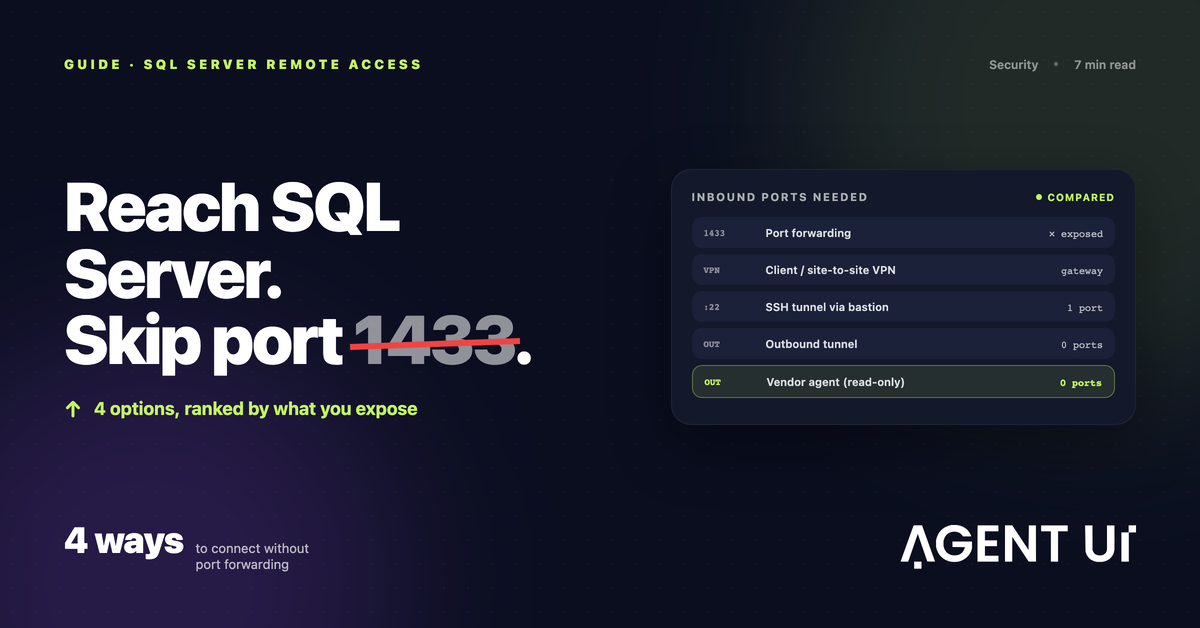
What you actually want is for something outside to read that database without any inbound port. There are four ways to do that.
Option 1: a VPN
A VPN puts the outside party "inside" your network. A client VPN lets a person's laptop join the office network; a site-to-site VPN connects two networks permanently, for example your office and a cloud VPC.
Good for people. A remote accountant who needs SQL Server Management Studio is exactly what VPNs were built for.
Not for SaaS tools. Most cloud services — BI tools, app builders, automation platforms — can't join your VPN. A site-to-site tunnel only helps when you control the network on the other end. And the VPN gateway itself usually listens on an inbound port, so you're trading an exposed database for a (much better hardened) exposed VPN endpoint.
Option 2: an SSH tunnel through a bastion host
Many cloud tools support "connect via SSH tunnel". You run a small Linux machine (a bastion or jump host) that the tool can SSH into, and the tool forwards its database traffic through that session to the SQL Server.
Widely supported, and SSH with key-based auth is a well-understood, well-audited protocol.
The catch: it still needs an inbound port — usually 22 — open to the internet or to the vendor's IPs, on a machine you now have to patch and monitor. For an office with no public address it's a poor fit, because the bastion has to be reachable from outside.
Option 3: an outbound tunnel (Cloudflare Tunnel, ngrok, Tailscale)
Outbound tunnels reverse the direction. Instead of the outside world connecting in, a small daemon inside your network connects out to a service, and traffic rides back through that outbound connection.
- Cloudflare Tunnel runs
cloudflaredon a machine in your network. It makes outbound-only connections to Cloudflare, and you control who can reach the service through Cloudflare's access policies. - ngrok runs an agent that opens an outbound connection and gives you a public endpoint that forwards to your local service. Convenient for testing, but remember that endpoint is reachable from the internet unless you add access controls.
- Tailscale builds a private WireGuard network between devices you enroll. Devices connect out and find each other; only members of your network can reach the SQL Server.
No inbound rule, no public IP needed. They work from an office that has neither.
But it's network access, not database access. Whatever reaches the tunnel can talk to SQL Server with whatever permissions its login has. You still own the access policies, the SQL logins and the monitoring. And the SaaS tool on the other end has to be able to use the tunnel, which many can't.
Option 4: a vendor agent that dials out
Some products ship their own agent for exactly this case. You install it on a machine that can see the database; it connects out to the vendor's cloud; the product sends queries down that connection.
- Microsoft's on-premises data gateway is the best-known one. It runs on a Windows machine, connects outbound to Azure, and serves Power BI, Power Apps, Power Automate and Logic Apps. If your team lives in Microsoft's stack, it's the default choice. (We compare it in detail in our on-premises data gateway alternative guide.)
- The AgentUI Connector does the same for AgentUI apps and dashboards, with a narrower scope on purpose (more below).
Why it's tidy: no inbound port, no public address needed, and the agent only serves that vendor's products, so there's no general network path to worry about.
The trade-off: each one serves only its own vendor's products. And you're trusting the vendor's agent, so read what it can and can't do before installing it.
Side by side
| Option | Inbound port opened? | Works with no public IP? | Who can reach the database | Best for |
|---|---|---|---|---|
| Port forwarding 1433 | Yes (1433) | No | Anyone who can reach the port | Nothing long-term |
| VPN | Usually, on the VPN gateway | Depends on setup | Anyone on the VPN | People who need full network access |
| SSH tunnel via bastion | Yes (22, on the bastion) | No | Anyone with a key to the bastion | Cloud tools that support SSH tunnels |
| Outbound tunnel (Cloudflare Tunnel, Tailscale) | No | Yes | Whoever your access policy allows | Teams comfortable managing access policies |
| Vendor agent (data gateway, AgentUI Connector) | No | Yes | Only that vendor's products | Using one vendor's tools on the data |
If the goal is apps and dashboards on that data
If what you actually want is internal tools, reports or dashboards on top of the office database, the connector you install matters more than the tunnel. This is what the AgentUI on-premise SQL Server connector is built for:
- Outbound only. It connects out over HTTPS on port 443. No inbound rule, no firewall change, no public address needed.
- Read-only. Only
SELECTandWITHqueries run, and every query is rolled back afterwards. - The password stays on your server. The database password is stored only on that server (encrypted on Windows). AgentUI keeps just a fingerprint of the connector key.
- Revocable. Revoke it in two clicks; the key stops working within 25 seconds.
- Limits. Microsoft SQL Server only. Queries run on demand, up to 1,000 rows and 30 seconds each. It doesn't copy or sync your database.
It installs on Windows, macOS or Linux as a service that restarts on its own. A typical case is SAP Business One on a Windows server, where teams want the monthly reports and stock views without exposing the ERP database. If you're comparing app builders on this point, we also wrote up how Retool connects to an on-premise SQL Server.
Which one should you pick?
- A person needs full access to the database from home: use a VPN.
- A cloud tool only supports SSH tunnels: use a bastion, locked to the vendor's IPs, and treat it as a server you have to maintain.
- Your team is comfortable owning access policies and wants a general-purpose path: an outbound tunnel like Cloudflare Tunnel or Tailscale.
- You want one product to read the data and nothing else: that product's outbound agent — Microsoft's gateway for the Power Platform, the AgentUI Connector for AgentUI apps.
If that last one is you, connect your SQL Server with the AgentUI Connector. Read-only, and you can revoke it in two clicks.